Realistic Scania SmartDash v1.651 ETS2


Realistic Scania SmartDash v1.651 ETS2
Version 1.651
– fixed turn indicator speeds
– added support for game version 1.58
Version 1.65
– added lift axle indicators for UK cab
– added ETA and time to rest to main navigation screen
Version 1.6
– added icons for truck lift axle and trailer lift axle
Description:
This mods adds some improvements for the current Scania SmartDash. It is mainly focused on reality, some things are semi-realistic because there are game restrictions in many cases.
Sources are various YouTube-videos, if something is displayed wrong or is missing you can write a comment.
Features:
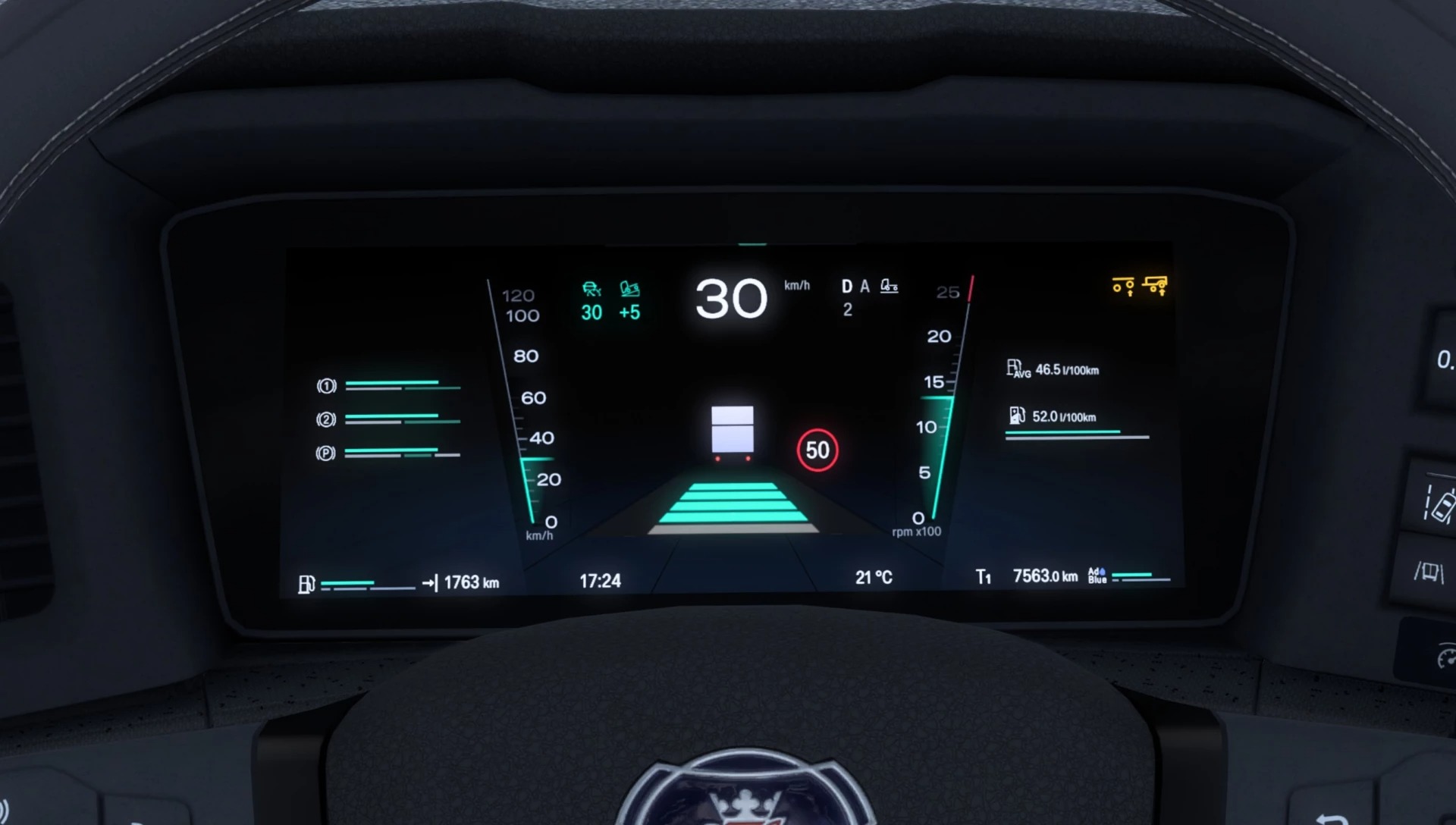
adds new page “Vehicle information” where you can see odometer
adds new page where you can see time until rest, trip time and remaining navigation time
allowed speed icon and cruise control values are now a bit bigger (better to read)
allowed speed is now shown on all pages
adds static distance visualization which turn green when cruise control is activated
adds cruise control tolerance value
adds gear mode in white
adds icons for truck and trailer lift axles
adds 120 km/h mark
adds engine brake icon
adds new home page in navigation screen, includes ETA and time to next rest, if available
adds new menu page in navigation screen (static)
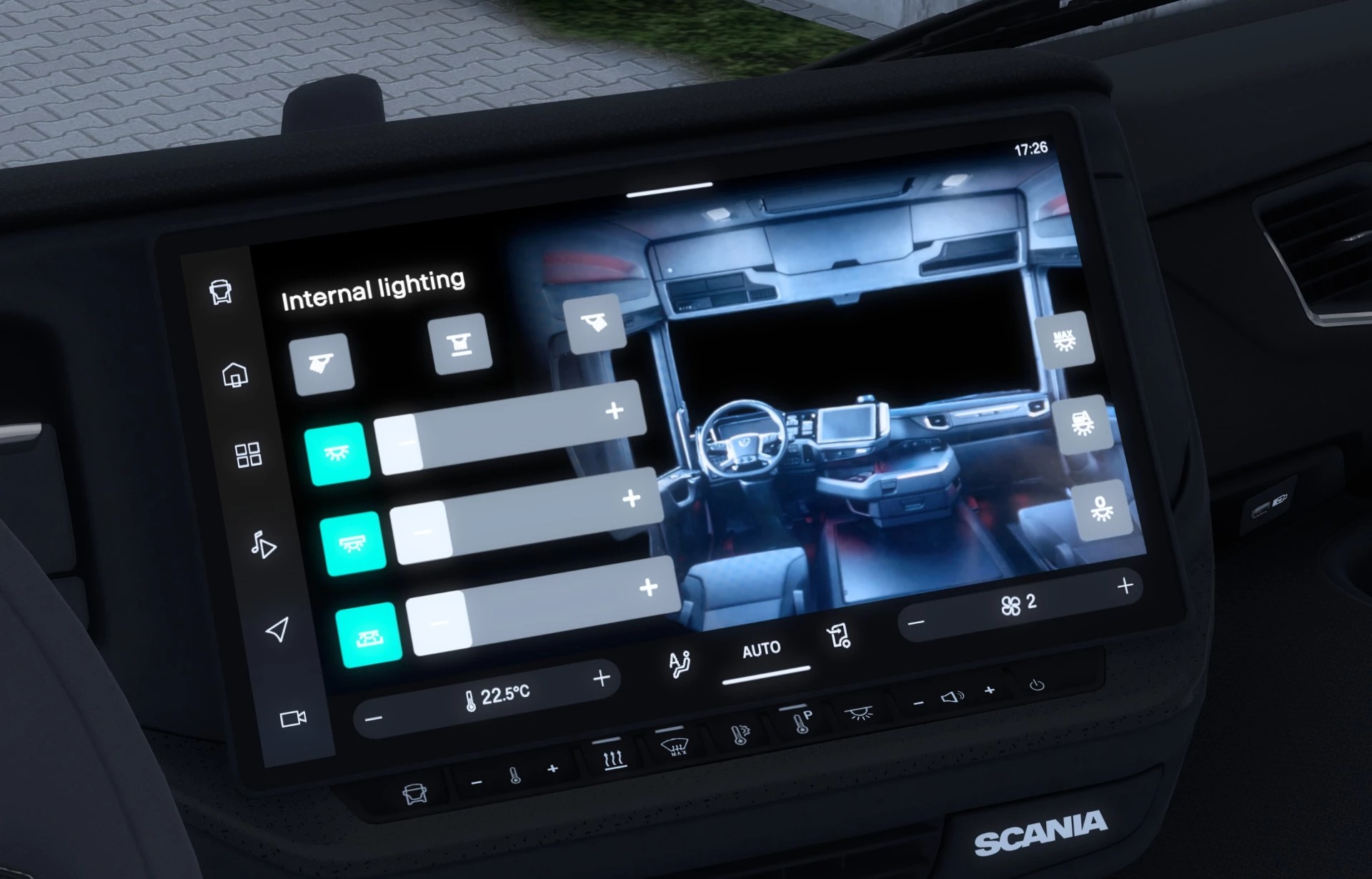
adds new “Interior lighting” page in navigation screen (static)
adds temperature and fan values at the bottom of the navigation display (static)
adds working compass at GPS screen
re-adds small clock at the top right in the navigation screen
Please note:
it isn’t possible to implement anything according to overspeeding or playing sounds
speedometer reaches 120 km/h mark already at 110 km/h – this is technical limitation of the game mod is still work in progress
Mod has the ‘optional’ tag, so you can use it in convoy sessions.
Credits: Moooritz
How to install ETS2 mods or ATS Mods
In Euro Truck Simulator 2 it’s easy to install mods. You just need to download mod from here, copy/unzip files into: “My Documents\Euro Truck Simulator 2\mod” folder or if you play ATS please install mods to: “My Documents\American Truck Simulator\mod” folder. To unzip files you can use: WinRAR or 7zip. After that you need to activate the mods you want to use.