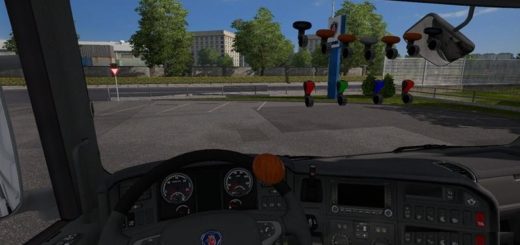
Real AI Country Spawns Adoon for Jazzycat v21.8.13 ETS2


Real AI Country Spawns Adoon for Jazzycat v21.8.13 ETS2
NEWS:
– Added real spawns and colours for new SCS BMW X1
– Fixes of some car colours, settings, and spawns improvements, mainly for Poland.
– Removed skins for Mercedes-Benz Sprinter 903
– Support for ETS2 1.59
This add-on sets all cars to REAL SPAWNS BY COUNTRY they appear in. Every country has a custom setting of all cars spawning, according to the real traffic and car brands’ popularity. Spawns also follow the country’s wealth.
The add-on also fixes the spawning of cars in left-drive countries by disallowing cars that don’t have a model for these countries. There is an exception for vans with UK skins, which would be missing on UK roads otherwise.
Countries with spawns set are all SCS countries and map mods: Promods, Promods Middle-East, Promods Great Steppe, Road to Asia and Road To Africa (by Terramaps), Java Road Revolution map (= Indonesia map), Maghreb map mod (North part of Africa), Heart of Africa and Horn of Africa maps.
This add-on also includes lots of fixes and new features:
Wheel changes, real colours and generic colour palette, my own car trailer, car trailers variety, disable bad models of cars from traffic, texture fixes, etc. This version is only compatible with Jazzycat’s AI traffic pack v21.8.13 for ETS2 version 1.59.
You need to download Jazzycat’s AI traffic pack in order to work! Place my add-on ABOVE the Jazzycats’s AI pack in the mod manager!
Enjoy realistic traffic.
Credits: Egon, Jazzycat, SCS, SGD
How to install ETS2 mods or ATS Mods
In Euro Truck Simulator 2 it’s easy to install mods. You just need to download mod from here, copy/unzip files into: “My Documents\Euro Truck Simulator 2\mod” folder or if you play ATS please install mods to: “My Documents\American Truck Simulator\mod” folder. To unzip files you can use: WinRAR or 7zip. After that you need to activate the mods you want to use.