More realistic traffic v5.2 ATS
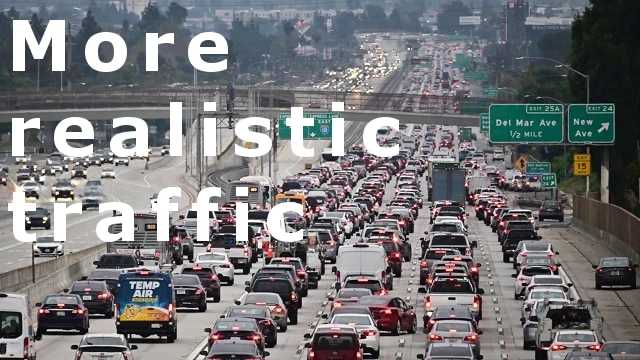

More realistic traffic v5.2 ATS
Changelog vPublic release as v5.2(1.58)
modified train spawning and crossing distances
created new cargo train trailer chains
castrated” the Aeromaster Ultimaster
unmodified the “Digger Derrick”
MOD INFO:
Preface
I have been playing the game “American Truck Simulator” (formerly “18 Wheels of Steel”) for many, many years, which certainly shows that I am happy with it. I find it remarkable that SCS has managed to integrate something as simple and everyday as truck driving into a computer game in such a beautiful and solid way. A game with no fighting, no shooting, no killing, no war, no conquering, no defeating, no winning. Just truck driving – great!
In search of a little more reality in virtual traffic, I started creating my own traffic mod in which I implemented my own ideas. But I also incorporated the ideas of other ATS users. After all, they had already had their own thoughts on this topic. In this respect, my mod is just another mod among many other mods. But I like to share.
I’m also happy to receive constructive criticism on the topic. It could be that I’m looking at some things fundamentally wrong or haven’t thought them through completely or that a typo has simply crept in somewhere. Nobody is perfect…
Road traffic
The stated goal of the “More realistic traffic” mod is to make the appearance of virtual traffic in ATS seem a little more “natural” in order to improve the simulation experience. However, the goal is not to be as realistic as reality. An attempt is made to configure the given mechanisms of the game accordingly in order to achieve the goal of greater realism. At the same time, an attempt was made not to push the AI drivers’ abilities to their limits or even beyond – they are not very flexible.
Traffic density
The modeling of traffic density was too imprecise for me with the original settings. Therefore, I created more precise models for all spawn rules. These are intended to better describe the traffic density throughout the day, depending on rural or urban areas, small towns, large cities, etc. The modeling takes place every hour and shows main traffic, secondary traffic and light traffic more clearly.
While you may be driving on completely empty roads at night, you may also be stuck in a traffic jam between 6 and 9 in the morning. In the afternoon, between 4 and 7 p.m., everyone is heading back home and there is also a lot of traffic. While nobody is out and about in rural areas at night, a city never really sleeps. There is always something going on there.
School buses go to school in the morning and return in the afternoon. Garbage collection tends to run more frequently in the morning. Street cleaners operate during off-peak hours to avoid unnecessary traffic disruption. Tourists are also not out and about at all hours of the day or night. You’re more likely to see police patrolling the city than on country roads or highways. And so on…
The scenarios are diverse. Too diverse to list and describe them all here.
Spawning issues
The fundamental problem of very little oncoming traffic on long, straight, well-visible country roads, highways, and freeways could not be solved by parameterizing the ATS traffic model without making it look bad. This is due to the spawning mechanism. The spawning mechanism’s inertia when switching between freeways could also not be successfully modified.
Furthermore, there appears to be only one standard time (MDT) for the entire game map, which doesn’t differentiate between the different time zones. This causes a time shift in traffic times. As a result, rush hour traffic in the eastern states is about an hour early, and in the western states, about an hour late. There’s no solution yet for this.
Coloring
Another major point of my adjustments concerns the coloring of AI traffic. For this, I used the statistical color distribution of motor vehicles in the US vehicle market in 2023 to provide vehicle type-specific color schemes and integrate them into the game. In this way, the view of virtual road traffic should be closer to real road traffic.
The colors white (25%), gray (21%), black (20%), silver (11%), blue (10%) and red (8%) appear with a higher frequency than the colors green (1.8%), brown (1.3%), orange (0.6%), yellow (0.2%), gold (0.2%), purple (0.1%) and others (0.8%). This color distribution should be roughly reflected in the game.
To achieve this goal, over 4,900 different vehicle colors were compiled in various vehicle-type-specific color schemes.
I’ve incorporated all the colors offered by the car manufacturers represented in “American Truck Simulator” into the color schemes. Even some that I absolutely can’t imagine anyone buying such a car – and there are some truly ugly colors. This is to reflect the fact that you occasionally see bright splashes of color in real traffic.
Classics
The frequency of historic vehicles on the road has been reduced. It is always nice to see a classic on the road, but let’s face the truth: very few people travel from A to B in a 50, 60, 70 or 80 year old vehicle.
Rail traffic
Rail traffic has also been adjusted somewhat. Firstly, trams and metros run more frequently during rush hour than, for example, late at night.
Secondly, the trains have also been modified. Passenger trains run more frequently during the day than at night, as this is more in line with people’s day-night rhythm. Freight trains share the rail network with passenger trains and therefore run more frequently at night.
The configuration of freight trains was also modified to achieve realistic train lengths. The original setting with just a handful of wagons was too unrealistic for me. After all, in America we know this idealized image of miles-long freight trains winding through beautiful landscapes…
Requirements
The mod was last edited and configured with
ATS versions 1.53, 1.54, 1.55, 1.56, 1.57 and 1.58
including all regular map DLCs.
Maintenance and further development is carried out almost exclusively for the current ATS version. I cannot make any definitive statements about which ATS version compatibility extends back to.
The variable “g_traffic” in the configuration file “config.cfg” should be set to the default value “1.0” as it has an additional influence on the generation of AI traffic.
Modifications
This mod modifies the following regular files:
“def/traffic_data.sii”
“def/country/wyoming/traffic.sii”
“def/vehicle/ai/<vehicle>.sui” (almost all vehicles)
“def/world/traffic_lane.sui”
“def/world/traffic_rules.sui”
“def/world/traffic_rules_spawn.sui”
The mod is therefore partial or complete incompatible with other traffic mods that modify the mentioned files.
Credits: un.nahbar
How to install ETS2 mods or ATS Mods
In Euro Truck Simulator 2 it’s easy to install mods. You just need to download mod from here, copy/unzip files into: “My Documents\Euro Truck Simulator 2\mod” folder or if you play ATS please install mods to: “My Documents\American Truck Simulator\mod” folder. To unzip files you can use: WinRAR or 7zip. After that you need to activate the mods you want to use.