Zorra Acoplado Montenegro 2 + 1- Trailer v1.0 ETS2

Zorra Acoplado Montenegro 2 + 1- Trailer v1.0 ETS2
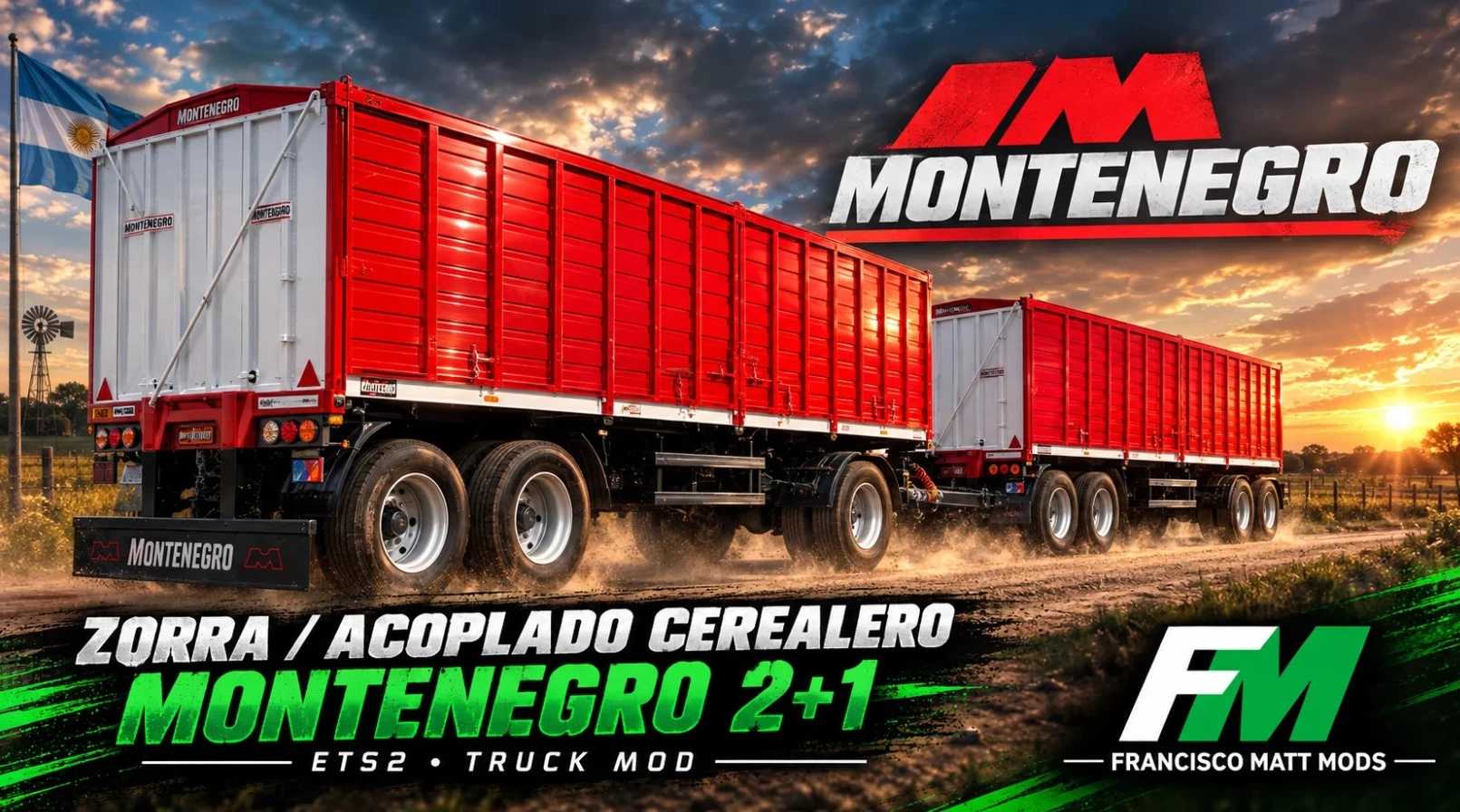
Montenegro grain trailer and dolly setup for Euro Truck Simulator 2, designed for transporting grain and cargo in the Argentine style. It is sold at trailer dealerships and can be customized in the workshop just like any other trailer in the game.
Available versions
Montenegro Dolly/Trailer combo: with Grain, Flatbed, Harvest (Zafral), and Shovel-loading (Palera) body types.
Montenegro Arg: grain-hauling version with Grain body.
Montenegro Livestock: for transporting cattle.
Randon Box Trailer: available in standard box and refrigerated box versions.
Workshop configurations
Paint: Standard (customizable), Metallic, and base turquoise.
Tarps: Red, Blue, Orange, Green, Black, and Customizable (availability varies by trailer version).
License plates: Argentina and Uruguay, with customizable versions.
Mudflaps: 4 different models.
Accessories: storage boxes, auxiliary lights, “rocket” style lights (red and orange), cables, and tire pressure monitoring system (on the Arg version).
Wheels: radial tires, aluminum and steel rims, hubs, lug nuts, and hubcaps, with various options for each part.
Features
All configuration menu icons feature the Francisco Matt Mods logo.
Custom image in the mod manager.
Available as an optional mod for multiplayer.
Installation
Copy the .scs file to the Documents/Euro Truck Simulator 2/mod folder.
Activate the mod in the game’s mod manager.
Purchase the trailer at a trailer dealership and customize it in the workshop.
Compatibility: ETS2 1.61.1.1.s
Credits: Francisco Matt Mods
How to install ETS2 mods or ATS Mods
In Euro Truck Simulator 2 it’s easy to install mods. You just need to download mod from here, copy/unzip files into: “My Documents\Euro Truck Simulator 2\mod” folder or if you play ATS please install mods to: “My Documents\American Truck Simulator\mod” folder. To unzip files you can use: WinRAR or 7zip. After that you need to activate the mods you want to use.