Transsiberian Truckway / Baikal Map Addon v1.0 ETS2
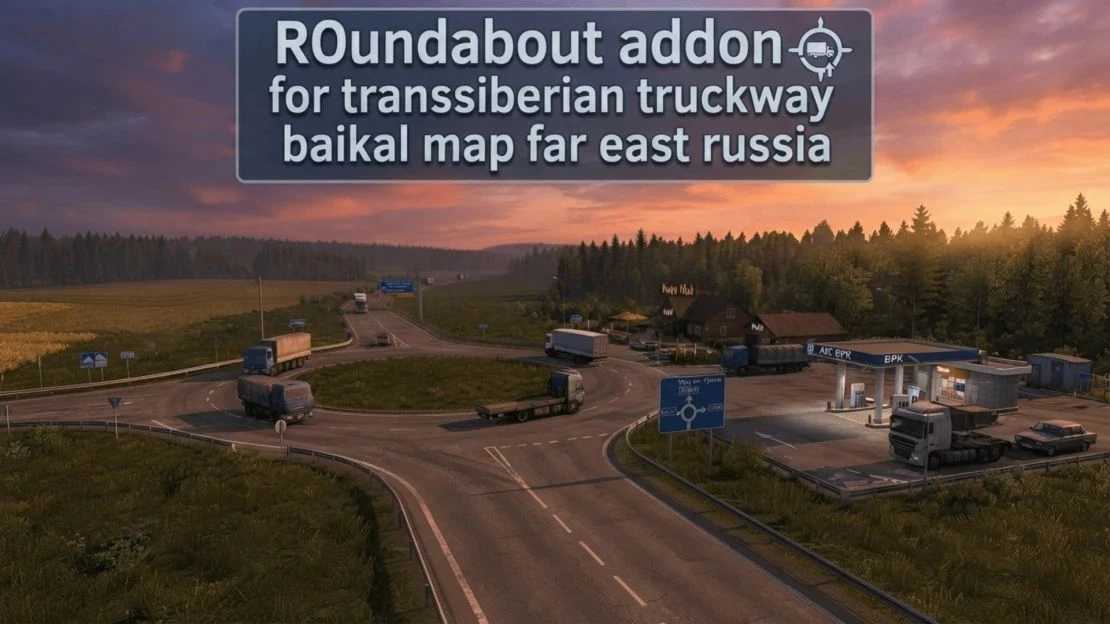

Transsiberian Truckway / Baikal Map Addon v1.0 ETS2
FEATURES:
Smooth traffic: AI drivers now navigate the roundabout correctly without freezing.
Enhanced atmosphere: Improved surroundings, detailed gas station area, and realistic road assets.
Great optimization: No FPS drops, performance-friendly.
Simple installation.
LOAD ORDER (In Mod Manager):
Place this addon ABOVE the main Baikal Map files:
1. [This addon] ROundabout addon for transsiberian
2. [Map files] Transsiberian Truckway / Baikal Map
Credits: SONION
How to install ETS2 mods or ATS Mods
In Euro Truck Simulator 2 it’s easy to install mods. You just need to download mod from here, copy/unzip files into: “My Documents\Euro Truck Simulator 2\mod” folder or if you play ATS please install mods to: “My Documents\American Truck Simulator\mod” folder. To unzip files you can use: WinRAR or 7zip. After that you need to activate the mods you want to use.
Report bugs in the comments and help modders improve this mod. Always check the comments, you can find a solution.