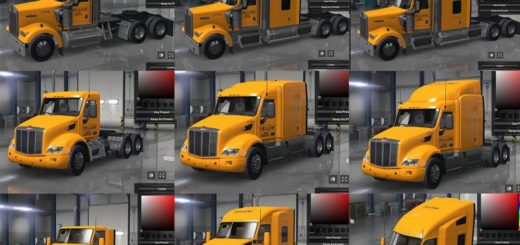
The Godfather’s Kenworth T909 & T908 Skins Pack v1.2 ATS


The Godfather’s Kenworth T909 & T908 Skins Pack v1.2 ATS
The Godfather’s Kenworth T909 & T908 Skins Pack is a Skins (Paintjob) Pack for the Kenworth T909 SWR Mod Truck & Kenworth T908 RTA Mods Truck that has a bunch of skins of Real Life Company’s & Real Life Brands for Entertainment use only and are all copyright owned by The Godfather’s Mods Company EST 2021 and if used in your gameplay Videos or Livestreams must be given Credit
to our label..
THE TRUCKS NEEDED FOR THIS SKIN PACK ARE ON REQUEST VIA MY YOU TUBE CHANNEL
v1.0 Released July 28th 2026
The Launch edition of The Godfather’s Kenworth T909 & T908 Skins Pack has 214 Skins for the Kenworth T909 SWR Mod Truck & 214 Skins for the Kenworth T908 RTA Mods Truck and works with ATS 1.60
v1.1 Update (October 2026)
This is the 1st Update to the T909 & T908 Skins Pack and brings 8 New Skins for the Kenworth T909 & T908 Mod Trucks to bring the total of skins for both the T909 & T908 To 222 Skins
v1.2 Update (October 29th 2026) THIS UPDATE
This Update Brings 14 Brand new Skins for both the Kenworth T909 And T908 Mod Trucks and bring the total of skins for both the T909 & T908 up to 232 Skins this update focus on adding 12 new fast food companies to the pack with other skins added as well
DO NOTE THIS IS A SKINS PACK NOT THE TRUCKS SO READ BEFORE COMMENT
Credits: Godfather
How to install ETS2 mods or ATS Mods
In Euro Truck Simulator 2 it’s easy to install mods. You just need to download mod from here, copy/unzip files into: “My Documents\Euro Truck Simulator 2\mod” folder or if you play ATS please install mods to: “My Documents\American Truck Simulator\mod” folder. To unzip files you can use: WinRAR or 7zip. After that you need to activate the mods you want to use.