Scania 142hs v1.0 ETS2
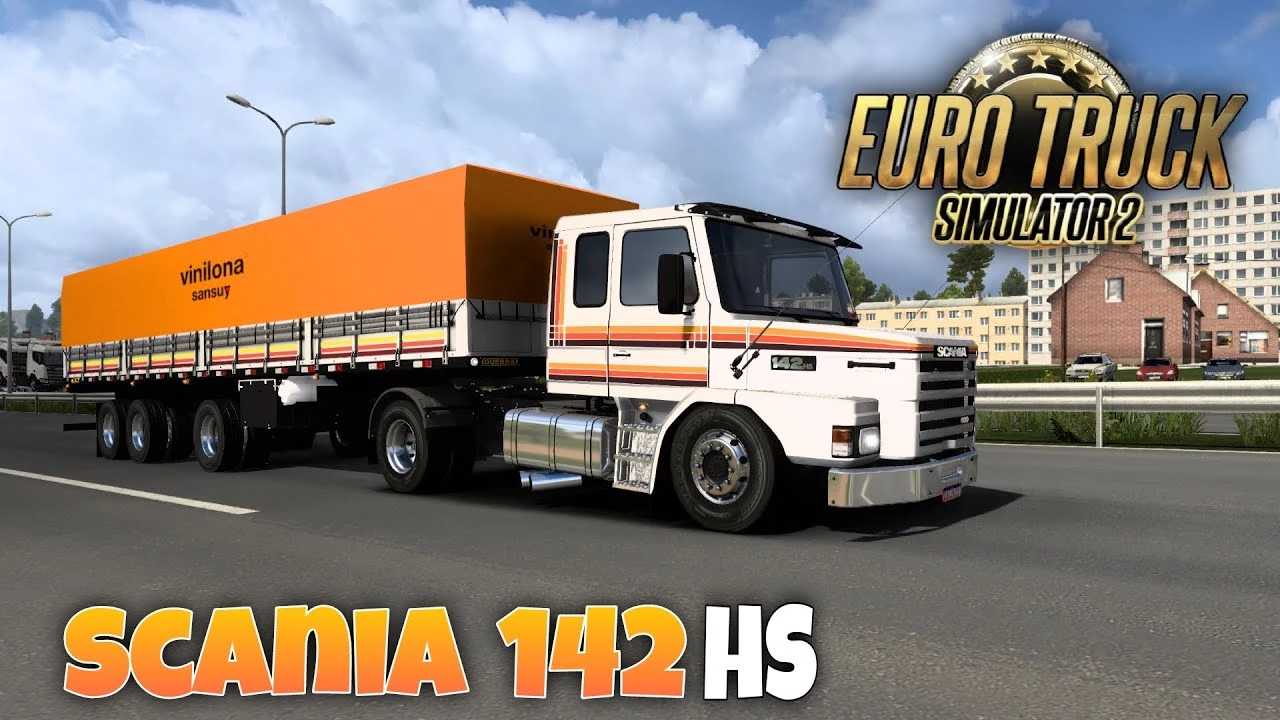

Scania 142hs v1.0 ETS2
The Scania 142H (often requested as the 142HS) is a popular classic truck mod available for Euro Truck Simulator 2 via the Steam Workshop and various modding forums. [1, 2, 3]
Where to Find It
To add this classic Scania to your game, you will typically need to download a third-party mod, as it is not a default vehicle in the base game. [1, 2]
Steam Workshop: Search for “Scania 142H” to find community-created versions, such as the Tunmtum Games edit.
Mod Websites: Several legacy truck sites host older versions of the 142 series if you are looking for a specific vintage feel. [1, 2]
Mod Features (Typical)
Many of the available 142H mods for ETS2 include:
Customization: Often features editable stickers, custom license plates, and various exhaust options.
Sound: Many mods include specialized V8 engine sounds to match the classic Scania character.
Compatibility: Most updated versions are designed to work with newer game versions (e.g., 1.49+) and may support cabin accessories like the SiSL pack
Credits: ViniHupi
How to install ETS2 mods or ATS Mods
In Euro Truck Simulator 2 it’s easy to install mods. You just need to download mod from here, copy/unzip files into: “My Documents\Euro Truck Simulator 2\mod” folder or if you play ATS please install mods to: “My Documents\American Truck Simulator\mod” folder. To unzip files you can use: WinRAR or 7zip. After that you need to activate the mods you want to use.