Rhineland Map – Promods RC FIX v1.2 1.56 ETS2


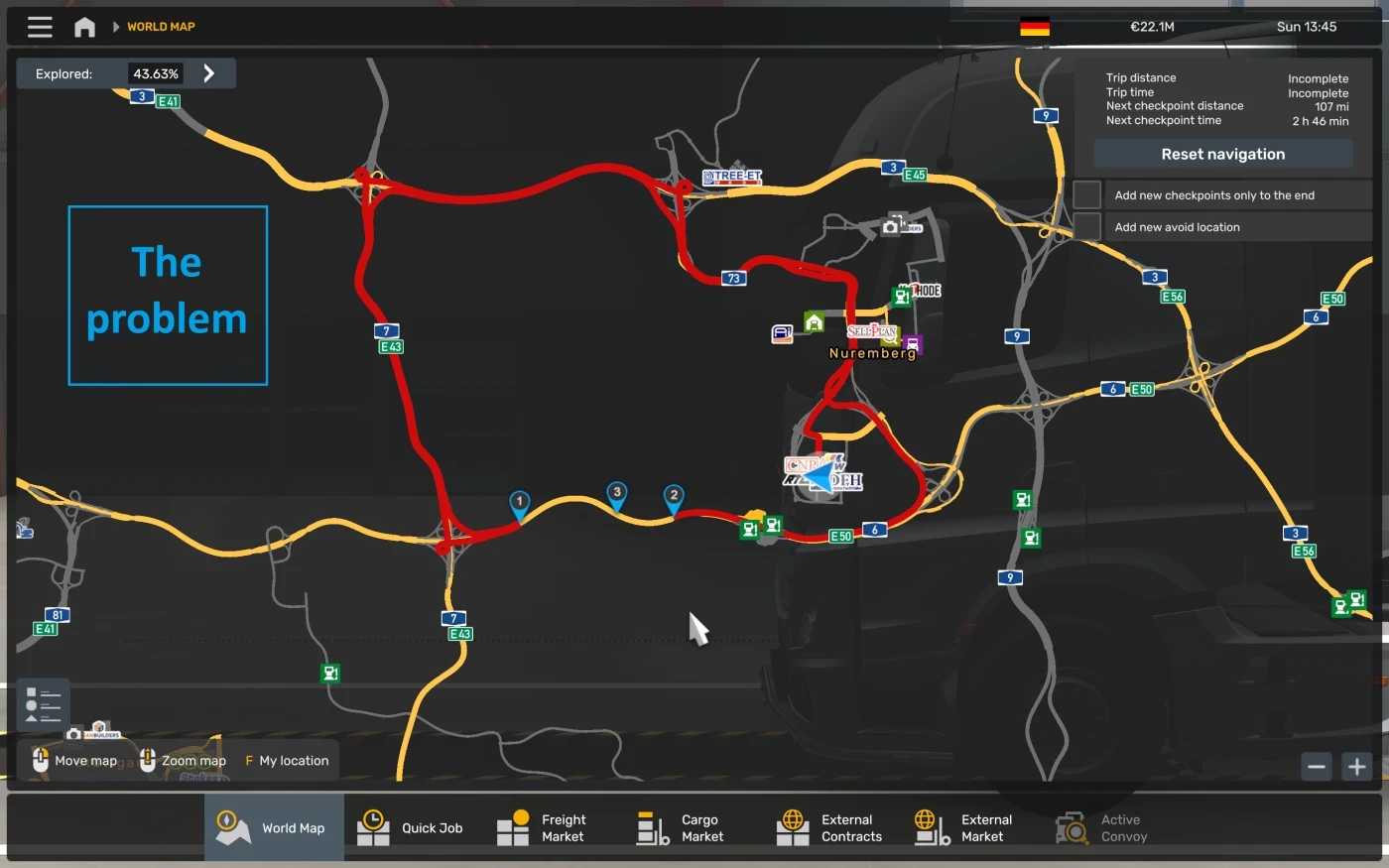
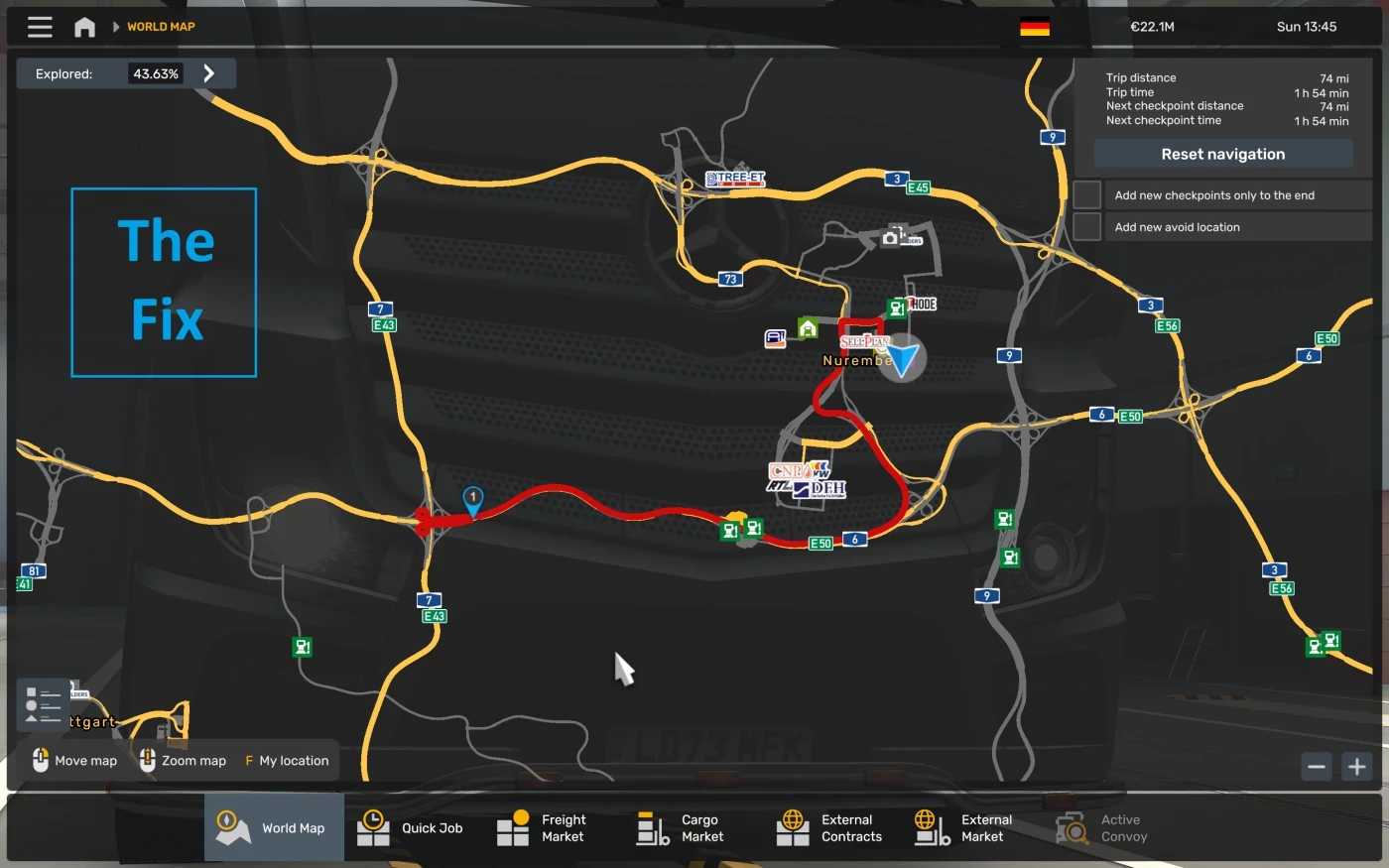
Rhineland Map – Promods RC FIX v1.2 1.56 ETS2
Fixes terrain gap, GPS avoid and AI vehicles despawning on Bundesautobahn 6 south-west of Nuremberg when using both Rhineland Map and Promods.
I just altered some terrain vertices and nodes on the road, so I do not claim any credit for Promods, Rhineland Map or Rhineland Map – Promods RC.
Place above Promods, Rhineland Map and Rhineland Map RC in the Load Order
v1.2 Compatibility update for ETS2 1.56
Credits: Foryst
How to install ETS2 mods or ATS Mods
In Euro Truck Simulator 2 it’s easy to install mods. You just need to download mod from here, copy/unzip files into: “My Documents\Euro Truck Simulator 2\mod” folder or if you play ATS please install mods to: “My Documents\American Truck Simulator\mod” folder. To unzip files you can use: WinRAR or 7zip. After that you need to activate the mods you want to use.
Report bugs in the comments and help modders improve this mod. Always check the comments, you can find a solution.