Reforma v2.9.8.159 ATS

Reforma v2.9.8.159 ATS
Changelog:
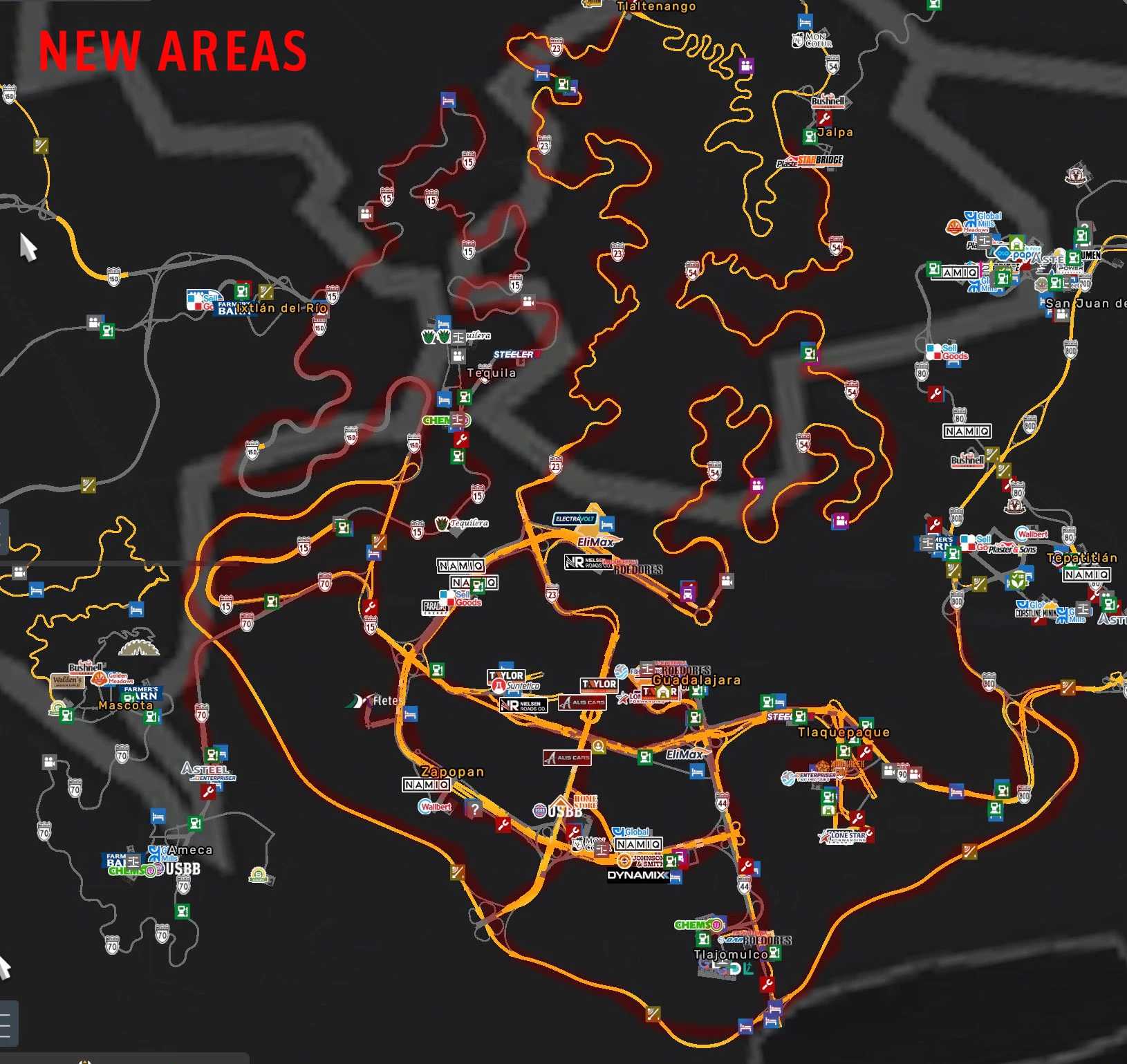
Guadalajara and surroundings areas are now included directly in the Reforma base map
Major improvements across the Guadalajara Metropolitan Area (ZMG):
Vegetation upgrades, optimization improvements, model replacements, visual enhancements in several zones.
Guadalajara Periférico BRT system restored
Major bug fixing across the map:
Fixed invisible walls
Fixed holes and terrain gaps
Fixed floating objects
Various map stability improvements
Changes and upgrades to bridges throughout the map
Updated jersey barrier wall models on several highways
Improved water textures in various areas of the map
New billboard models and fictional company advertisements added
New loading screen images promoting our work
Mexican traffic behavior adjusted to be more realistic to real-life driving conditions in Mexico.
New gas station added at the Tepic–Mazatlán libre road junction
Vegetation improvements along the Baluarte–Durango highway
Fixed landslide issue on the Durango–Mazatlán highway
Reforma Extremo, Los Altos, and Pacífico are removed (included into the base map)
UI map redesigned to properly fit Baja California roads, which were previously displayed over the Pacific Ocean
AI traffic behavior fixes and improvements
New Mexican license plates added and updated to current real-life designs
Corrected license plate numbering system to better match real-life standards
Credits: Jbte
How to install ETS2 mods or ATS Mods
In Euro Truck Simulator 2 it’s easy to install mods. You just need to download mod from here, copy/unzip files into: “My Documents\Euro Truck Simulator 2\mod” folder or if you play ATS please install mods to: “My Documents\American Truck Simulator\mod” folder. To unzip files you can use: WinRAR or 7zip. After that you need to activate the mods you want to use.