Pan Htwar Skin Edition 2 v1.0 ETS2


Pan Htwar Skin Edition 2 v1.0 ETS2
“Legend never fades, and beauty never dies.”
Supported Trucks: SCS Scania S Next Generation
Scania Next Gen by Eugene (Recommended)
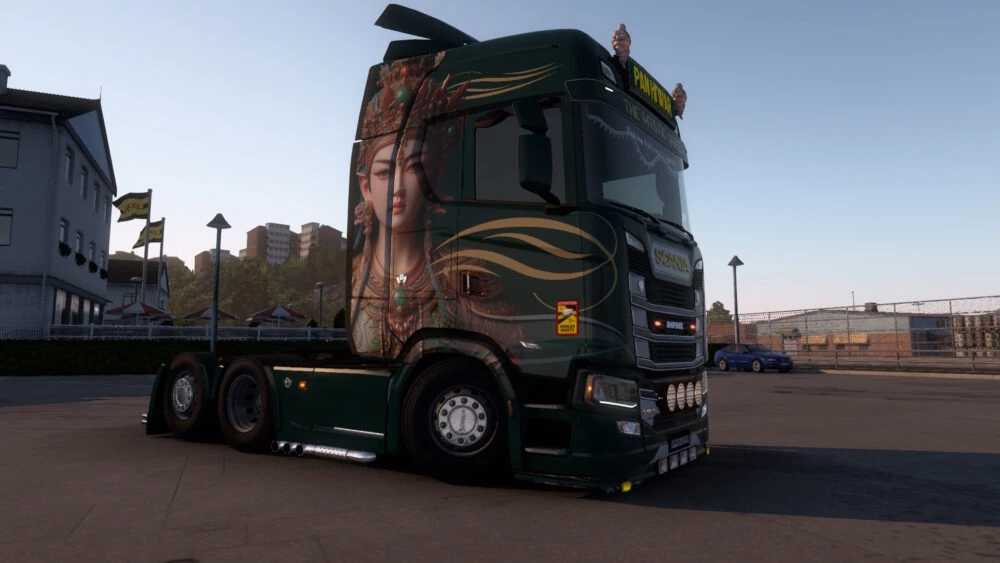
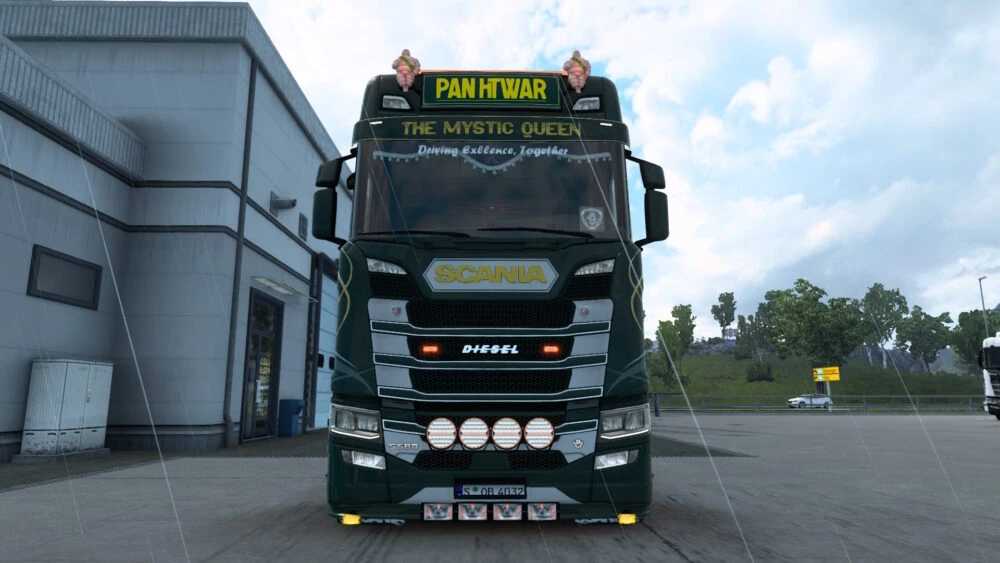
Introducing “The Mystic Queen”, a masterpiece inspired by the legendary Queen Pan Htwar. This skin is a perfect blend of royal heritage and modern trucking elegance, featuring a stunning Emerald Green and Antique Gold palette.
Main Features:
Royal Emerald Base: A deep, mesmerizing green.
Antique Gold Accents: Intricate traditional patterns.
4K High-Resolution: For the ultimate visual experience.
LIGHTBOX OPTION: The skin is compatible with custom lightboxes. If you want to use the “The Mystic Queen” branded lightbox as seen in the screenshots, please note:
You will need to install the Virotic Lightbox Mod. Place the skin mod above the lightbox mod in mod order. This is Optional — the truck skin will work perfectly fine without it.
Credits: SCS, Virotic, Player Thurein
How to install ETS2 mods or ATS Mods
In Euro Truck Simulator 2 it’s easy to install mods. You just need to download mod from here, copy/unzip files into: “My Documents\Euro Truck Simulator 2\mod” folder or if you play ATS please install mods to: “My Documents\American Truck Simulator\mod” folder. To unzip files you can use: WinRAR or 7zip. After that you need to activate the mods you want to use.