Official ReShade Preset for the Live Streams v1.0 ATS
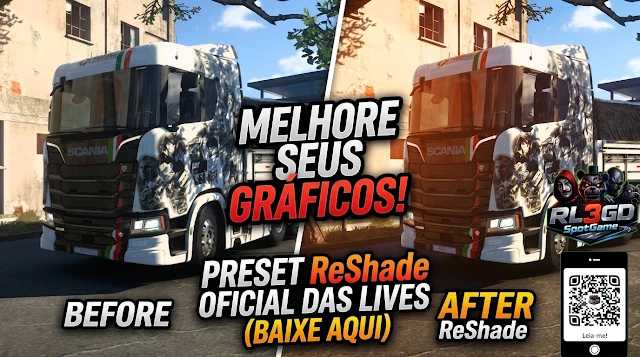
Official ReShade Preset for the Live Streams v1.0 ATS
PRESETS INCLUDED IN THIS PACK (Key Highlights)
Huxxi Cinematic Line: (Blue, Green, and Natural in Cinematic, Realistic, and Exposed versions with HDR Bloom support) — Perfect for screenshots and video recording with a cinematic look.
Redux Ultra V1/V2/V3: Heavy filters focused on extreme realism and state-of-the-art lighting correction.
LITE / LITEATS / BODYCAM: Settings optimized for low-end PCs or for those who want to stream gameplay without performance drops.
Specific Weather Filters: Presets such as PNG_PE_1.15.5_Cold, Warm, and Natural to perfectly match seasonal graphics mods.
Credits: RLG3D SPOOTGAME
How to install ETS2 mods or ATS Mods
In Euro Truck Simulator 2 it’s easy to install mods. You just need to download mod from here, copy/unzip files into: “My Documents\Euro Truck Simulator 2\mod” folder or if you play ATS please install mods to: “My Documents\American Truck Simulator\mod” folder. To unzip files you can use: WinRAR or 7zip. After that you need to activate the mods you want to use.
Report bugs in the comments and help modders improve this mod. Always check the comments, you can find a solution.