Modasa Zeus 3 Volvo 8×2 v3.2 ETS2
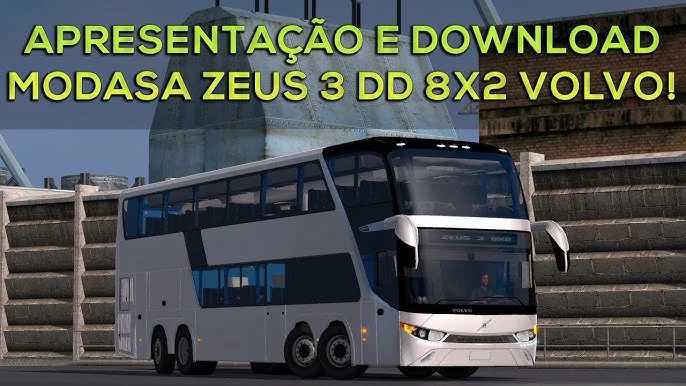

Modasa Zeus 3 Volvo 8×2 v3.2 ETS2
Changelog (based on version “3.2” of the mod):
– Chassis Direction fixed
– headlight Position fixed
– Updated virtually all 3D files (from version 5 to 5)
– Added Mauro Navarrete skin and paint slots
– Lighting fixes (+significant FPS gain and view optimization for multiplayer)
– Fixed reflections on the cockpit windshield and dashboard
– Fixed cockpit lights and destination signs
– Added lights in the lounge
– Relocated interior lights
– Texture changes in the cockpit and interior
– Minor paint saturation fixes
– Curtain saturation fixes
– Camera 5 and 4 fixes
– Added passenger camera 1
– Missing sound file associations
– Implemented sound insulation in the cockpit
– Updated GPS and added a larger screen
– Reworked the door animation Passengers and cargo hold
– Reconstruction of the paint system and connections
– Corrections to the cargo hold and interior 3D
– Updating the interior switch connections
Features:
1. Fully Animated on Exterior cam (like Door, Porta, Baggage, and window).
2. Fully Animated on Interior cam (like gas,handbrake,key,window,door,porta).
3. Support animated suspension.
3. Stable physic.
4. Include interior light (Press O to activate).
5. Include own Sound. And support Convoy Multiplayer.
6. Standalone Mods.
7. Include 4K Skins.
Credits: Ronald Cruz – Fabian Espinoza – Javier Toapanta Model by: Ronald Cruz Editing and Conversion by: Fabian Espinoza 8×2 Edit and Animation: Javier Toapanta Blueprint: Hector Kachuk New Animations and Interior Remastering: BusoLOGames Others: Ronald Cruz, Fabian Espinoza…
How to install ETS2 mods or ATS Mods
In Euro Truck Simulator 2 it’s easy to install mods. You just need to download mod from here, copy/unzip files into: “My Documents\Euro Truck Simulator 2\mod” folder or if you play ATS please install mods to: “My Documents\American Truck Simulator\mod” folder. To unzip files you can use: WinRAR or 7zip. After that you need to activate the mods you want to use.