Heavy Haul Flags, Oversize Banners & Mudflaps v1.0 ATS



Heavy Haul Flags, Oversize Banners & Mudflaps v1.0 ATS
Give your heavy-haul setup the finishing touches with woven warning flags, Oversize Load banners, detailed Mack Anthem mudflaps, and existing SCS roof beacons available from level 0. This is a free public test build.
What fits your truck?
– Warning flags: Standard and alternate designs for the 18 supported truck families in this build.
– Mack Anthem stock-compatible configurations: Oversize Load front banners, plus Signature, Oversize Load, and Heavy Haul mudflap designs.
– 52 existing SCS roof beacon definitions: Level requirements have been removed. Original prices, models, lighting, and DLC/Inventory ownership requirements remain.
– Seven CinemaLife upgrade-preview cards help identify the included options.
All authored options are available from level 0; purchase prices still apply. This pack does not add new beacon models or universal trailer accessories.
Installation and load order
Enable HEAVYLINE above CinemaLife Visibility Override and the Anthem chrome/Signature pack when using them together. Select the matching warning-flag slots. Front banners retain the stock bumper fit restrictions for plastic, chrome, and full-chrome bumpers; fitment on the Pioneer bumper and universal trailers has not been established. Conflicting mods can replace the same accessories or beacon definitions. Original game and DLC resources are still required.
Public test: version 1.0.0-beta.4
Archive/native-resource, material-reference, artwork, and upgrade-preview checks passed offline. In-game fit, cloth motion, day/night appearance, and performance checks are still pending. The build uses ATS 1.62 beta resources; compatibility with the 1.61 runtime is unconfirmed.
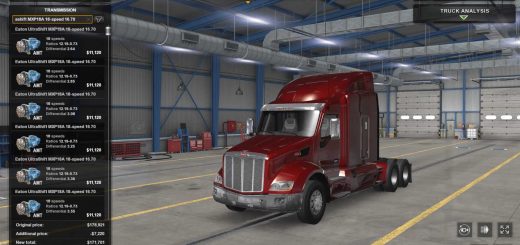
Browse the gallery to see the options before you choose. The cover is promotional artwork; detail images use actual native meshes and textures with approximate studio shaders. The fabric swatch is flat. These images are not gameplay screenshots or proof of animation.
Credits: Plainolalex
How to install ETS2 mods or ATS Mods
In Euro Truck Simulator 2 it’s easy to install mods. You just need to download mod from here, copy/unzip files into: “My Documents\Euro Truck Simulator 2\mod” folder or if you play ATS please install mods to: “My Documents\American Truck Simulator\mod” folder. To unzip files you can use: WinRAR or 7zip. After that you need to activate the mods you want to use.