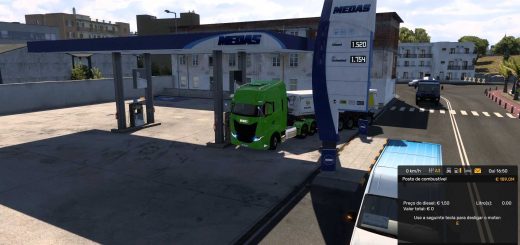
Forma Mod (Graphics Quality) v2.2.1 (1.61.x) ETS2


Forma Mod (Graphics Quality) v2.2.1 (1.61.x) ETS2
This free graphics enhancement mod completely transforms the visual experience of Euro Truck Simulator 2.
It brings natural light, realistic atmosphere, improved rain and night effects, and gives you full live control over every visual setting with real time sliders without leaving the game.
Features:
Natural lighting, atmosphere and sun rays
Realistic haze, fog and air effects
Advanced night effects (lamp beams, light halos, starry sky & Milky Way)
Enhanced rain system with wet roads, lens-like raindrops on glass and denser wheel spray
Three-layer shadows (SSAO, Shadow depth, Contact shadows)
Realistic cab lighting and shadows
NVIDIA DLSS 4.5 support (with DLAA at 100% scaling) on GeForce RTX
AMD FSR 4 support (sharper image + more FPS)
Experimental DLSS 5 Neural Rendering (on supported Radeon cards)
Full colour control (contrast, vibrance, hue + individual colour adjustments)
Sharper textures (roads, signs, trees in the distance)
Film looks (Warm Film, Cool Morning, Cinema, Neon Night, Documentary) + grain, vignette & halation
10 ready-made presets (Natural, Winter, Cinematic, Summer, Autumn, South, Rainy, Night City, Retro, Lite)
Live in-game settings window with real-time sliders
Custom hotkeys and highly customizable options
Changes in v2.2.1:
Less smearing and flicker with FSR and DLSS – the mod tells more accurately what moves and what stands, also at higher speed, in the chase view and in the mirrors.
Calmer shadows and air with DLSS 5 – less of the fine noise the network took for picture detail.
Better colour going into FSR and DLSS – the picture reaches them in the form they expect, which should reduce flicker in dark areas.
DLSS 5 simpler and lighter – with DLSS 5 on, Fast mode is always used. On Radeon cards the network now runs before upscaling by default.
A scaling tip – when the game’s scaling is above 100%, the Scaling tab tells you that setting 100% can give much more FPS.
Installation
Close the game and extract the package.
In Steam: right-click ETS2 → Manage → Browse local files → the binwin_x64 folder.
Copy dinput8.dll and the lighting_ng and plugins folders there. When updating, replace the old files.
Start the game from Steam as usual.
Getting started
Ctrl + Alt + Plus opens the mod window, the MOD button turns the effects on.
Set anti-aliasing to TAA in the game’s graphics settings.
Ctrl + Alt + Minus – a quick before/after comparison. Change both with the Hotkeys button at the bottom of the window.
Credits: The4ma, FormaMod Team
How to install ETS2 mods or ATS Mods
In Euro Truck Simulator 2 it’s easy to install mods. You just need to download mod from here, copy/unzip files into: “My Documents\Euro Truck Simulator 2\mod” folder or if you play ATS please install mods to: “My Documents\American Truck Simulator\mod” folder. To unzip files you can use: WinRAR or 7zip. After that you need to activate the mods you want to use.