
AI Traffic Metrobus v1.0 ETS2

AI Traffic Metrobus v1.0 ETS2
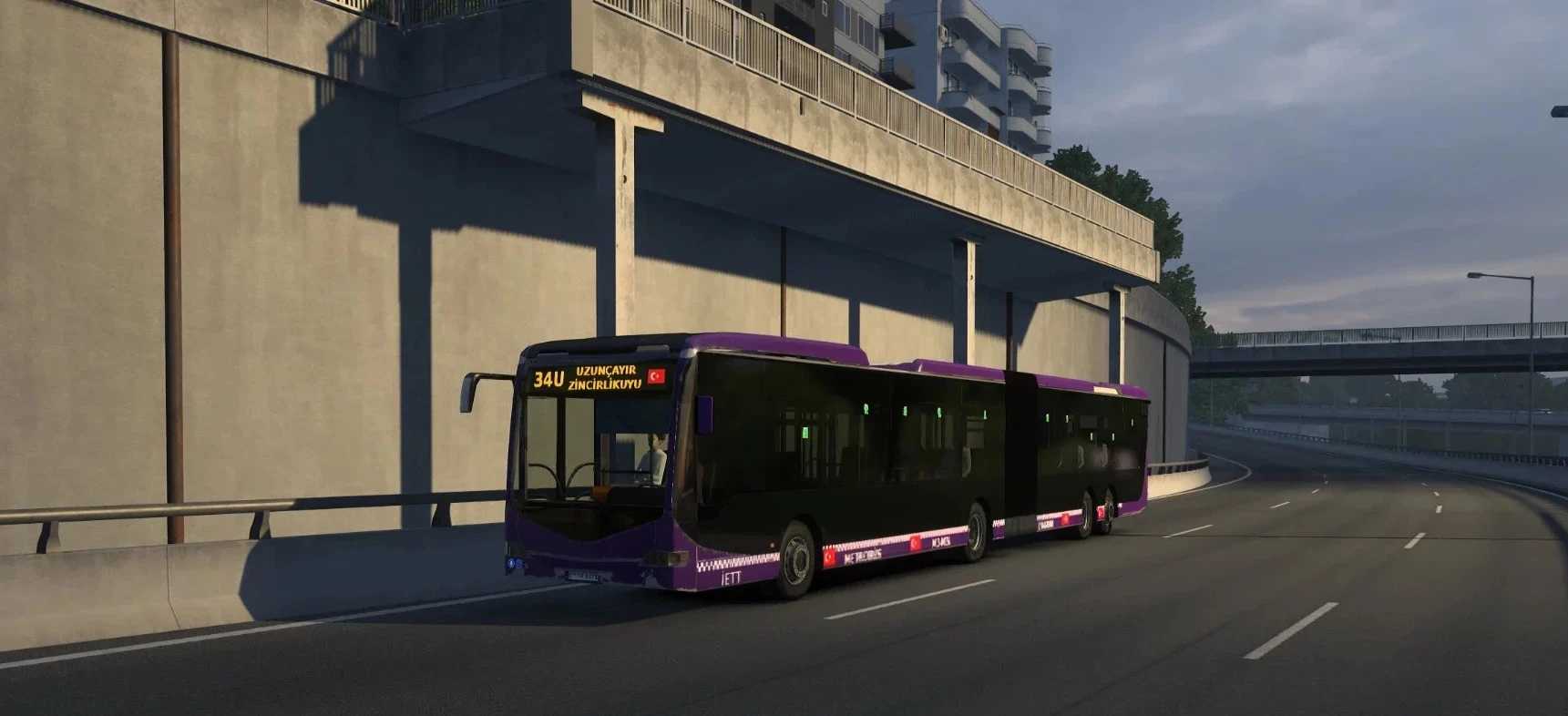
Istanbul Metrobus (articulated) in AI traffic only: city, highway and parked. Requires Road to the Black Sea DLC. Game version 1.61. Optional add-ons: city only / highway only / Turkey only (use one at a time, place above the main mod). Do not use together with “Istanbul Metrobus Trafik v7”.
FEATURES
Articulated Istanbul Metrobus (AI traffic)
8 colors: gray, yellow, purple, magenta, turquoise, black (most common gray and yellow, rarely turquoise and black)
Vehicles with special LED lettering: Express, On-Duty, Going to Garage, Out of Service, Holiday, New Year, Have a Good Journey, Welcome
Turkish flag on all LED signs.
Lines: 34, 34AS, 34BZ, 34C, 34G, 34U, 34Z
60 km/h in the city, 90 km/h on the highway.
Metro buses parked in the parking lot
PACKAGES
1) metrobus_sade_v1.scs → MAIN MOD (required)
2) ADDITIONAL PACKAGES (optional, only ONE can be opened at a time):
ek_sehir → only appears within the city.
additional_highway → only appears on highways / outside the city
ek_turkiye → Only available in Türkiye (including Turkish map mods)
Place the expansion pack ABOVE the main mod in the mod list.
REQUIREMENTS
Euro Truck Simulator 2 version 1.61
Road to the Black Sea DLC is a must
INSTALLATION
Place the .scs files into the DocumentsEuro Truck Simulator 2mod folder, open them in the Mod Manager in-game, and adjust their order from the list.
Credits: matkap
How to install ETS2 mods or ATS Mods
In Euro Truck Simulator 2 it’s easy to install mods. You just need to download mod from here, copy/unzip files into: “My Documents\Euro Truck Simulator 2\mod” folder or if you play ATS please install mods to: “My Documents\American Truck Simulator\mod” folder. To unzip files you can use: WinRAR or 7zip. After that you need to activate the mods you want to use.


