Volvo VM ETS 2 v1.0 ETS2
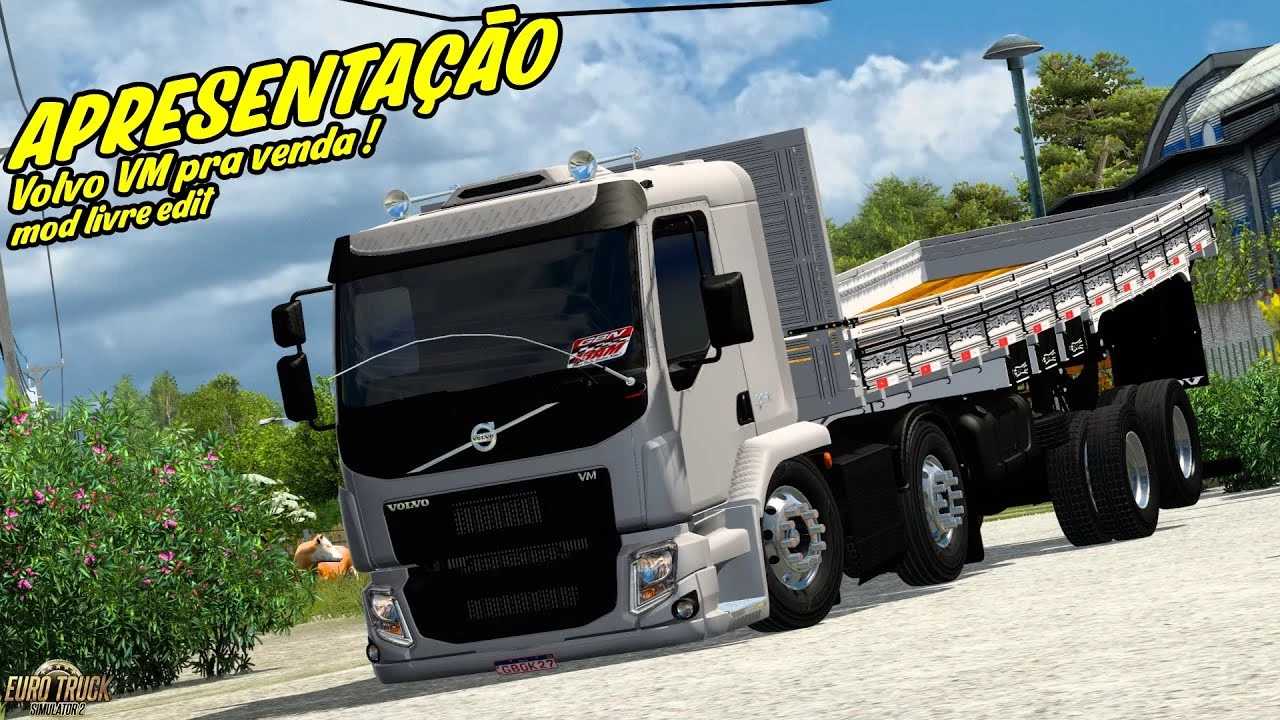

Volvo VM ETS 2 v1.0 ETS2
When you say “Volvo VM ETS 2”, you are referring to the Volvo VM truck as a mod for Euro Truck Simulator 2 (ETS2).
The Volvo VM is a medium-heavy duty truck produced by Volvo Trucks, commonly seen in Brazil and other South American countries. While it’s not officially in the base ETS2 game, it’s a very popular truck among the Brazilian ETS2 modding community.
Here’s what that typically entails:
Volvo VM: This truck model is known for its versatility, being used for a wide range of applications from distribution to vocational tasks. In ETS2 mods, you’ll often find various chassis configurations (e.g., 4×2, 6×2, 8×2 Bitruck, etc.), engine options, and customization parts.
ETS2 (Euro Truck Simulator 2): As mentioned, this is the popular truck simulation game where players can drive various trucks across Europe. Mods extend the game’s content, allowing players to experience trucks from other regions like the Volvo VM.
Key aspects of Volvo VM mods for ETS2:
Brazilian Appeal: The Volvo VM is a staple on Brazilian roads, so its inclusion in ETS2 through mods is highly sought after by players who want a more immersive Brazilian trucking experience.
Customization: Good quality Volvo VM mods often come with a wide array of customization options, including:
Different cabin types
Various chassis configurations (as mentioned above)
Engine and transmission options (including realistic sound packs)
Interior accessories (GPS, dangling items, etc.)
Exterior accessories (bull bars, exhaust stacks, lights, fenders, etc.)
Paint jobs and skins
Compatibility: Like all ETS2 mods, the Volvo VM mods need to be compatible with your current game version. Mod creators usually update their mods or specify which game versions they work with.
Where to find them: You’ll typically find Volvo VM mods on dedicated ETS2 modding websites, forums, and YouTube channels from Brazilian content creators. Some might even be found on the Steam Workshop, though often the more detailed and region-specific mods are hosted elsewhere.
Credits: MARCO ANTONIO
How to install ETS2 mods or ATS Mods
In Euro Truck Simulator 2 it’s easy to install mods. You just need to download mod from here, copy/unzip files into: “My Documents\Euro Truck Simulator 2\mod” folder or if you play ATS please install mods to: “My Documents\American Truck Simulator\mod” folder. To unzip files you can use: WinRAR or 7zip. After that you need to activate the mods you want to use.