Toyota Fortuner 1.55 ETS2
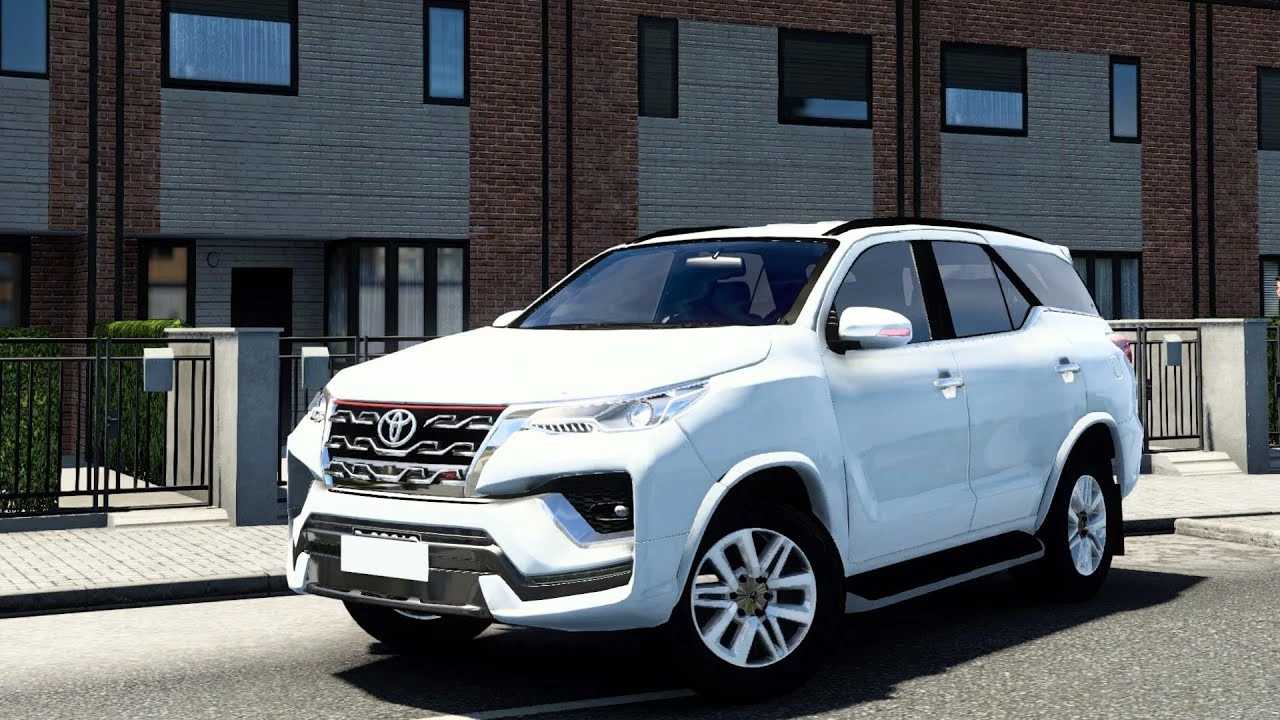

Toyota Fortuner 1.55 ETS2
Like other passenger cars and SUVs, the Toyota Fortuner is not officially featured in the game Euro Truck Simulator 2 (ETS 2). SCS Software, the game’s developer, only has licences for major truck brands such as Scania, Volvo, Mercedes-Benz, and others, and the main focus is on the experience of driving heavy trucks.
How to get the Toyota Fortuner in ETS 2
If you want to drive a Toyota Fortuner in ETS 2, the only way is through mods (modifications) created by the player community. There are several high-quality mods available for this model, with different versions and details.
Important Points About Mods:
Where to Find Them: You can find car mods on various ETS 2 modification websites or on Steam Workshop, which is the safest and easiest way to install them.
Quality and Features: The quality of mods can vary greatly. The best ones usually have:
Detailed interior.
Realistic engine sounds.
Customisation options (wheels, paint, accessories).
Realistic driving physics for a passenger car.
Installation: The process is usually simple. You download the mod file, place it in the game’s ‘mod’ folder and activate it in the Mod Manager within the ETS 2 main menu.
Search for ‘Toyota Fortuner mod ETS2’ on trusted mod sites to find the latest versions compatible with your game version. Driving an SUV like the Fortuner can be a fun and different experience, ideal for exploring the game’s scenery from another perspective, away from the main roads and with more agility.
Credits: casopa
How to install ETS2 mods or ATS Mods
In Euro Truck Simulator 2 it’s easy to install mods. You just need to download mod from here, copy/unzip files into: “My Documents\Euro Truck Simulator 2\mod” folder or if you play ATS please install mods to: “My Documents\American Truck Simulator\mod” folder. To unzip files you can use: WinRAR or 7zip. After that you need to activate the mods you want to use.