
SCANIA R TECKYGAMER br v1.0 ETS2
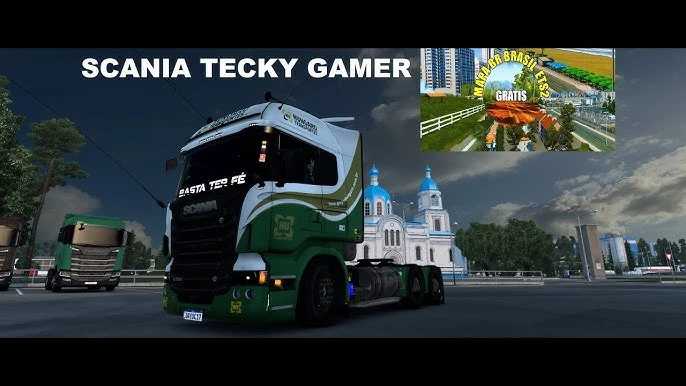

SCANIA R TECKYGAMER br v1.0 ETS2
You’re asking about an ETS2 Scania R mod associated with TECKYGAMER BR.
“TECKYGAMER BR” appears to be a Brazilian YouTube channel that creates and showcases mods for Euro Truck Simulator 2, often with a focus on Brazilian-style customization and content. When you see “Scania R TECKYGAMER BR,” it typically refers to a Scania R series truck mod that has been either created or heavily modified and presented by the TECKYGAMER BR channel.
What to Expect from a TECKYGAMER BR Scania R Mod
These mods often feature:
Brazilian-style accessories: This can include unique interiors, custom paint jobs (skins), specific types of wheels, exhaust pipes, and other visual modifications popular in the Brazilian trucking scene.
Realistic sounds: Many modders, including those featured by TECKYGAMER BR, prioritize realistic engine and exhaust sounds to enhance immersion.
Compatibility: They are generally designed to work with specific versions of ETS2. It’s crucial to check the mod’s description or the accompanying video for the compatible game version (e.g., 1.48, 1.53, 1.54, 1.55).
Updates: Like all mods, they may require updates to remain compatible with new ETS2 game versions.
Important Considerations:
Game Version: Always verify that the mod is compatible with your current version of Euro Truck Simulator 2. Using an incompatible mod can cause game crashes or other issues.
Installation: Most ETS2 mods are installed by placing the `.scs` file into your `Documents\Euro Truck Simulator 2\mod` folder. You then need to activate them in the game’s Mod Manager.
Credits: tickey
How to install ETS2 mods or ATS Mods
In Euro Truck Simulator 2 it’s easy to install mods. You just need to download mod from here, copy/unzip files into: “My Documents\Euro Truck Simulator 2\mod” folder or if you play ATS please install mods to: “My Documents\American Truck Simulator\mod” folder. To unzip files you can use: WinRAR or 7zip. After that you need to activate the mods you want to use.


