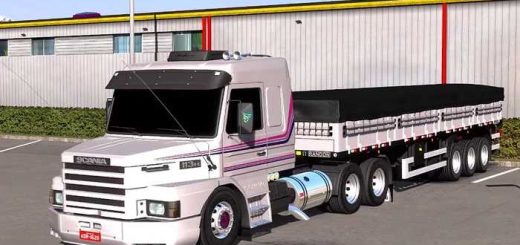
Scania P360 rework by macau v1.0 ETS2


Scania P360 rework by macau v1.0 ETS2
Exterior Accessories:
Lighting: “Corujinhas” (small lights on the windshield), “foguinho” (small lights, often on the rear), “Marias” (lights on the side), auxiliary lights, and different headlight and taillight options.
Bumpers and Fenders: Various bumper styles, including custom rear bumpers.
Wheels and Tires: A large selection of wheels, including aluminum “Alcoa” style wheels, different tire types (e.g., “borrachudo” – aggressive tread), and customizable hubs and hubcaps.
Other Details: Deflectors, antennas (e.g., PX antenna), different exhaust and stack options, “lameiros” (mud flaps) with various designs, and personalized license plates.
Interior and Functionality:
Functional Interior: The mod includes a working interior with features like a functional electric window, dashboard lights, and detailed controls.
Interior Items: Options to add a climate control unit, a bed, and various hanging accessories.
Credits: macau
How to install ETS2 mods or ATS Mods
In Euro Truck Simulator 2 it’s easy to install mods. You just need to download mod from here, copy/unzip files into: “My Documents\Euro Truck Simulator 2\mod” folder or if you play ATS please install mods to: “My Documents\American Truck Simulator\mod” folder. To unzip files you can use: WinRAR or 7zip. After that you need to activate the mods you want to use.