Scania 113H 1.55 ETS2
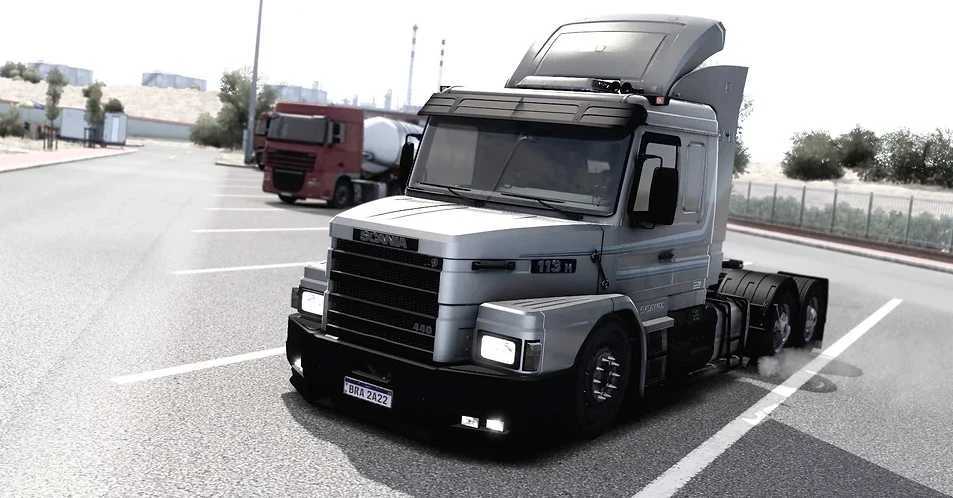

Scania 113H 1.55 ETS2
– Cabin animations
– Animated antennas
– Various power outputs and realistic sound
– Chassis: 4×2, 6×2, and 6×4, with or without liftable axles
– 6 Steering Wheel Options: (Original Scania 113H)
– Floor Mat Options
– Cab Upholstery Options
– Camera can be rotated to the rear of the cab for a wider view
– Luggage rack options
– Options: Benches and beds
– Cabin lights: Orange, Marajoara Blue, or White
– Tip: To turn on the cabin light, use the same button as the rotating beacon
– Tank options: round, square, painted, or chrome
– Battery box: Chrome, original black, or painted
– Exhaust options
– Designed based on the technical specifications of the original Scania 113H truck
– Dashboard options: Black, Black with brushed steel, and wood
– Original 113H paint jobs, custom paint jobs, and skins for you to edit, including: 6 Edite skins with normal paint and 6 Edite skins with metallic paint
– Window and door handle animations
– Front grille: Painted, normal matte, or chrome
– Functional pedals: Animated accelerator and brake
– Dashboard with animations on the functional buttons
– PX Radio and Compressed Air: Springs with animations that move as the truck sways
– Windshield options: Blue or Smoke Gradient
– More realistic suspension added
– Tinted or original rearview mirrors
– Window gutter option
– Animations on cargo hitches
– Levers work for parking brakes and trailer brakes
Credits: Fabio Contier
How to install ETS2 mods or ATS Mods
In Euro Truck Simulator 2 it’s easy to install mods. You just need to download mod from here, copy/unzip files into: “My Documents\Euro Truck Simulator 2\mod” folder or if you play ATS please install mods to: “My Documents\American Truck Simulator\mod” folder. To unzip files you can use: WinRAR or 7zip. After that you need to activate the mods you want to use.