Red Sea Map 26.2 [1.58] ETS2


Red Sea Map 26.2 [1.58] ETS2
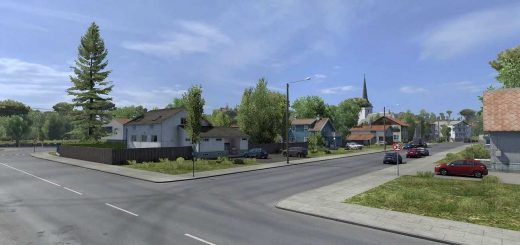
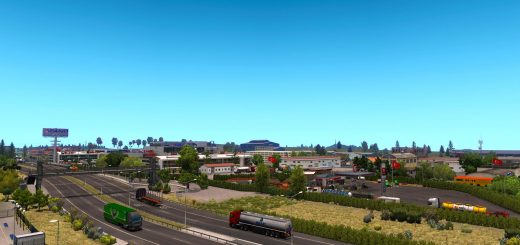
Red Sea Map is a large scale expansion map for Euro Truck Simulator 2, bringing a detailed and immersive driving experience across the Red Sea region. Version 1.58 – v26.2 comes fully updated and optimized to match the latest ETS2 standards, with multiple improvements in visuals, roads, and overall map stability.
This map focuses on realism, long distance routes, and authentic regional environments. Roads are carefully designed to reflect real-world layouts, offering a balanced mix of highways, cities, ports, and desert routes that enhance the simulation experience.
Red Sea Map is ideal for players who enjoy exploration, realism, and extended trucking journeys across unique regions rarely covered in standard maps.
Map Coverage
Saudi Arabia
Egypt
Sudan
Key Features
Fully compatible with ETS2 1.58
Improved road quality and layouts
Enhanced map visuals and details
Realistic city connections and routes
Optimized performance and stability
Designed for long-haul and realism gameplay
Requirements
Red Sea Map requires ProMods
This map does not work as a standalone map and must be used together with ProMods.
Installation
Download the required map files
Place all files into:
DocumentsEuro Truck Simulator 2mod
Activate the map in the correct load order using the Mod Manager
Important Notice
For the best experience, make sure all required dependencies are installed and the correct load order is followed.
Compatibility
Compatible with Euro Truck Simulator 2 versions from 1.48 up to 1.58
Fully updated and optimized for the latest ETS2 versions
Works with supported map combinations
Safe for existing profiles when installed correctly
Credits: Abdo Ibn Egypt
How to install ETS2 mods or ATS Mods
In Euro Truck Simulator 2 it’s easy to install mods. You just need to download mod from here, copy/unzip files into: “My Documents\Euro Truck Simulator 2\mod” folder or if you play ATS please install mods to: “My Documents\American Truck Simulator\mod” folder. To unzip files you can use: WinRAR or 7zip. After that you need to activate the mods you want to use.