Realistic Graphics Mod 1.54 ETS2

Realistic Graphics Mod 1.54 ETS2
Features:
Compatible To Work With ETS2 Game Version 1.54.x
New Realistic Skyboxes
Realistic Rain Intensity
Realistic Rain Textures
Realistic Tree Textures
Realistic Road Textures
Realistic Mountain Textures
Full Weather System
Realistic Rain
Realistic Rain Intensity
Over 10 Types Of Rain Intensity
Several Fog Intensities
Realistic Foggy Weather
Realistic Rain Effects
Realistic Rain Sounds
Realistic Thunder Sounds (Over 40 HQ Sounds)
Realistic Thunder Sounds Inside Cabin & Outside Cabin Of The Truck
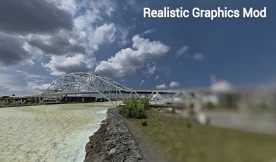
Realistic Water (Sea, Rivers, Lakes, Ponds, Beach, Dam, Waves etc)
Realistic Water Effects
Several Types Of Lightning Intensity
Thunder Dry/Wet Climate
Light Cloudy Rain
Better Wet Road Reflections
Slightly Increased Saturation of Trees
Slightly Increased Saturation Of Mountains
Realistic Rain/Thunder Sounds
Realistic Water Spray From Tires When Raining
Realistic Sun Rays
Improved Rain/Dirt Particles
Improved Road Reflections
Rain Particles/Spray Wheels (Own Truck & AI Traffic)
Several Different Types Of Weather
Several Different Types Of Sunset / Evenings
Several Different Types Of Nights / Day
Several Different Types Of Dawn / Sun Rises
UI Improvements
Compatible With Convoy
No Bloom
Custom Truck Outside View – Further Zoom Out (Keyboard Key 2) Zoom In / Out (Mouse Wheel)
Works With Low Ends PC´s As Long Your PC Meets The Official Minimum Requirements For ETS2
Credits: Realistic Graphics Mod
How to install ETS2 mods or ATS Mods
In Euro Truck Simulator 2 it’s easy to install mods. You just need to download mod from here, copy/unzip files into: “My Documents\Euro Truck Simulator 2\mod” folder or if you play ATS please install mods to: “My Documents\American Truck Simulator\mod” folder. To unzip files you can use: WinRAR or 7zip. After that you need to activate the mods you want to use.