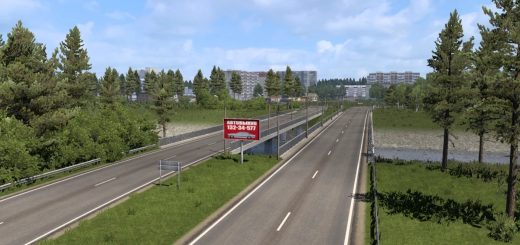
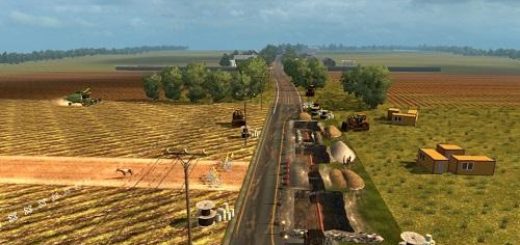
ProMods road & cities Poland Rebuilding merge v2.6 1.55 ETS2


ProMods road & cities Poland Rebuilding merge v2.6 1.55 ETS2
v2.6 (ETS 2 1.55)
– Updated to ETS 2 1.55, PM 2.75 and PR 2.6
– Rebuilt national road 46 near Opole
– Opole
– Fixed conflicts with signs on other maps
Mod restoring roads and cities from ProMods overwritten by Poland Rebuilding. To work with rusmap, you need to download a road connection by Hi Sora. When using Roex, you need to download a combo version of the mod without content in eastern Poland. The underlined content is also present on combo version of the mod
Roads:
– Expressway S16 Olsztyn Wschód – Mrągowo and Ełk bypass
– Expressway S61 Kisielnica – Budzisko
– National road 59 Mrągowo bypass
Rebuilt roads:
– Motorway A1 Toruń – Piotrków Trybunalski (Łódź – Piotrków Trybunalski defaults to Silesia)
– Expressway S7 Zalezianka – Wodzisław (default on Silesia)
– Expressway S8 Wrocław – Łódź and near Piotrków Trybunalski (default on Silesia)
– Expressway S74 Kielce Bocianek – Cedzyna (default on Silesia)
– National road 16 Mrągowo – Ełk
– National road 17 Piaski – Zamość
– National road 46 near Opole (default on Silesia)
Cities:
– Krasnystaw
– Mrągowo
– Piotrków Trybunalski (default on Silesia)
Rebuilt cities:
– Kielce (default on Silesia)
– Opole (default on Silesia)
– Siedlce
Credits: Blancuś
How to install ETS2 mods or ATS Mods
In Euro Truck Simulator 2 it’s easy to install mods. You just need to download mod from here, copy/unzip files into: “My Documents\Euro Truck Simulator 2\mod” folder or if you play ATS please install mods to: “My Documents\American Truck Simulator\mod” folder. To unzip files you can use: WinRAR or 7zip. After that you need to activate the mods you want to use.