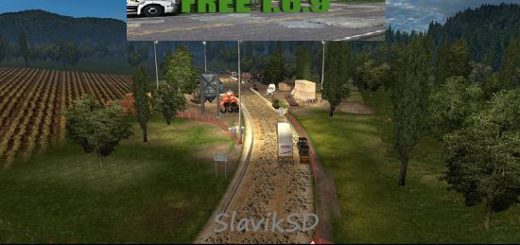
Projeto Grande Recife v1.0 ETS2


Projeto Grande Recife v1.0 ETS2
The “Projeto Grande Recife” is an exciting map mod for Euro Truck Simulator 2 (ETS2) that aims to recreate the urban bus lines and environment of the Greater Recife Metropolitan Region in Pernambuco, Brazil. This project stands out because it focuses specifically on urban bus simulation, which is a unique and sought-after experience within ETS2, especially for those who enjoy the “Bus Driver Simulator” aspect of the game.
Key Features of the Projeto Grande Recife Mod
Focus on Urban Bus Routes: Unlike many Brazilian map mods that focus on long-haul truck routes, Projeto Grande Recife is designed for shorter, intricate urban bus lines, reflecting the daily operations of public transport in a major Brazilian city.
Detailed Recreation: The mod attempts to accurately reproduce the neighborhoods, streets, and urban landscapes of the Greater Recife area. Early versions of the map have focused on specific areas, such as 7 neighborhoods in Olinda/PE (Rio Doce, Casa Caiada, Jardim Atlântico, Bairro Novo, Carmo, Ouro Preto, and Peixinhos).
Compatibility with Dbus World: This map is specifically mentioned as being compatible with Dbus World, an application that enhances the bus simulation experience in ETS2 by adding features like passenger management, ticket sales, and more immersive bus operations. This makes the “Projeto Grande Recife” ideal for a truly realistic urban bus driver simulation.
Ongoing Development: Like many ambitious map mods, “Projeto Grande Recife” is a work in progress. Modders continue to develop and expand the map, adding more areas and details over time.
Simple Design (Early Stages): Some descriptions indicate that the map is developed with a “simple” approach, often utilizing original game objects but arranged to accurately represent the environment. This helps in terms of performance and accessibility.
Traffic and Environment: It aims to provide realistic traffic conditions and environmental details appropriate for an urban Brazilian setting.
Installation Steps (General for ETS2 Mods):
1. Download: Download the mod file(s). These are usually in .scs format. If it’s a multi-part mod, make sure to download all necessary files.
2. Locate Mod Folder: Go to your ETS2 mod folder, which is typically found at: `Documents/Euro Truck Simulator 2/mod`.
3. Copy Files: Copy the downloaded `.scs` file(s) into this `mod` folder.
4. Activate in Game:
Start Euro Truck Simulator 2.
From the main menu, go to the Mod Manager.
Find “Projeto Grande Recife” in the list of available mods.
Activate it by moving it from the left column to the right column.
Set Mod Priority: If the mod has multiple parts or if you’re using other map mods, pay close attention to the loading order (priority). The modder usually provides instructions for this. Maps usually require a higher priority than other general mods.
Confirm your changes and load your game profile. You might need to create a new profile specifically for this map to avoid conflicts with other map mods, especially if it’s a standalone map.
Credits: PAULINHO GOGO
How to install ETS2 mods or ATS Mods
In Euro Truck Simulator 2 it’s easy to install mods. You just need to download mod from here, copy/unzip files into: “My Documents\Euro Truck Simulator 2\mod” folder or if you play ATS please install mods to: “My Documents\American Truck Simulator\mod” folder. To unzip files you can use: WinRAR or 7zip. After that you need to activate the mods you want to use.