Peterbilt 350 V1.0.7 ATS
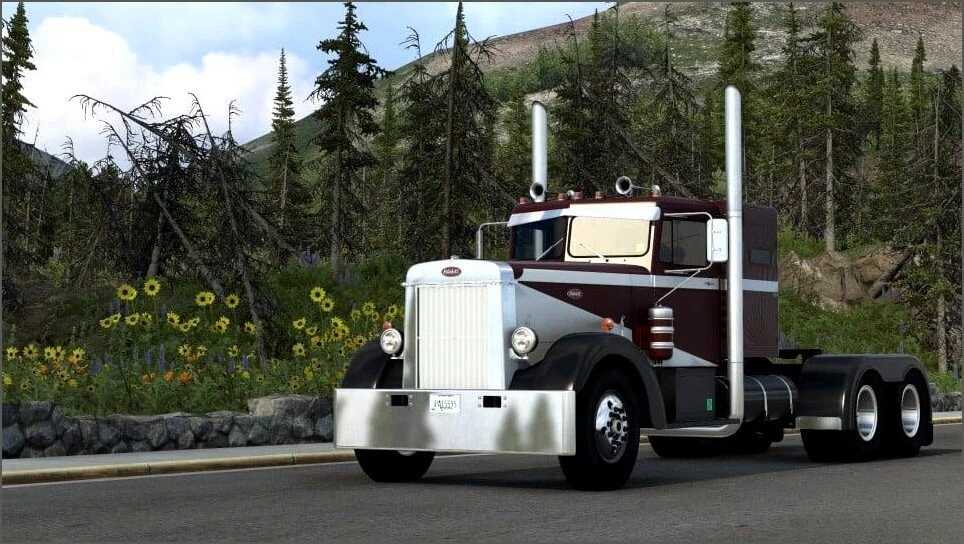

Peterbilt 350 V1.0.7 ATS
Changelog V1.0.7
event rewards up to Cruising Iowa + Witches of Brackenreach
revised model selection for some DLC interior accessories (more suitable orientation, mostly)
hid driver plate accessory seeing as this no longer renders correctly in the interior view
Changelog V1.0.6
added support for Missouri event rewards
added support for driving academy reward
fixed issue with air filter mounting band missing from painted classic/floating on chrome classic
Changelog V1.0.5
corner radii of interior mirror models have higher resolution now
fixed a number of missing/subpar shadow casters
Grote mirror w/ light now acts properly as marker lights instead of signals
added some marker light options from the 351
added support for val25 event rewards
air filter mounting bands improved
The Peterbilt 350 can be considered the precursor to all of the long nose conventionals that followed it. Its swooping fenders, bolted radiator shell and imposing 130″ bumper to back of cab dimension made it a truly majestic king of the highway. It was introduced in 1949 and produced through 1957, with 847 units produced (as well as 387 units of the single axle model 280), overlapping the more familiar and prolific lightweight model 351.
I’ve taken a couple of liberties in this recreation: the single axle model 280 is treated as just a chassis variation, and I’ve limited the transmission selection to those that will work well with the game’s limitations (the model 350 primarily used compound transmissions which aren’t properly supported in ATS).
Helpful Hints:
Pay careful attention when configuring the chassis, engine, and transmission. The standard chassis use double reduction rear axles (Rockwell SLDD) and so only slow ratios are available (4.68 to 5.90). This is best suited to the more ‘vintage’ engine selections (H and early NH engines) by trading off speed for more torque at the wheels. There are also chassis with Stabilaire suspension and SQHD rears (ratios 3.70 to 4.63) which pair well with more recent engines.
Credits: Smarty
How to install ETS2 mods or ATS Mods
In Euro Truck Simulator 2 it’s easy to install mods. You just need to download mod from here, copy/unzip files into: “My Documents\Euro Truck Simulator 2\mod” folder or if you play ATS please install mods to: “My Documents\American Truck Simulator\mod” folder. To unzip files you can use: WinRAR or 7zip. After that you need to activate the mods you want to use.