Ox-Ram Tahograph ETS2


Ox-Ram Tahograph ETS2
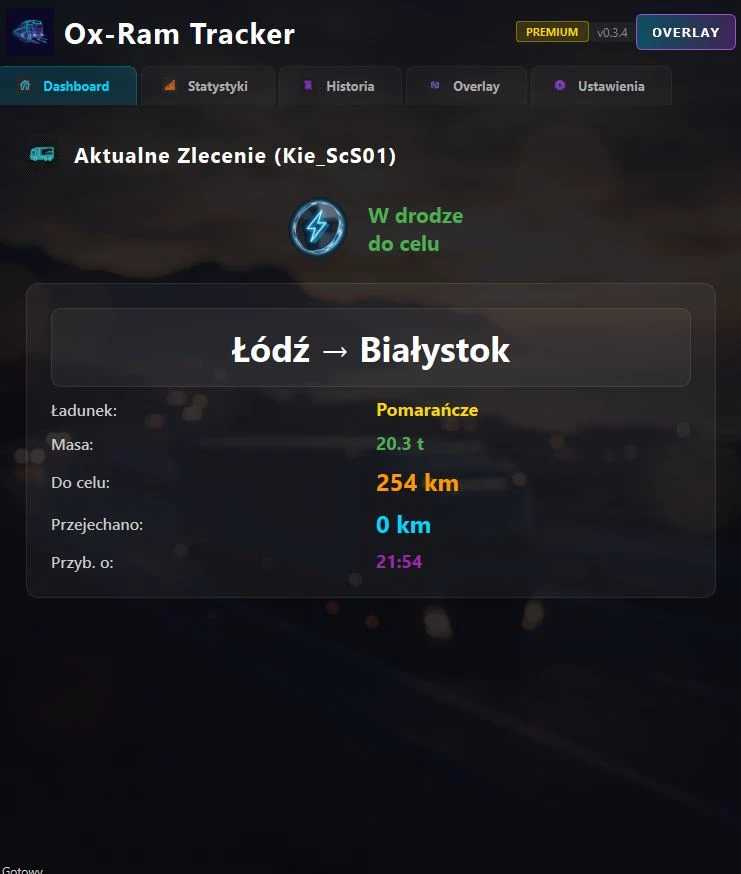
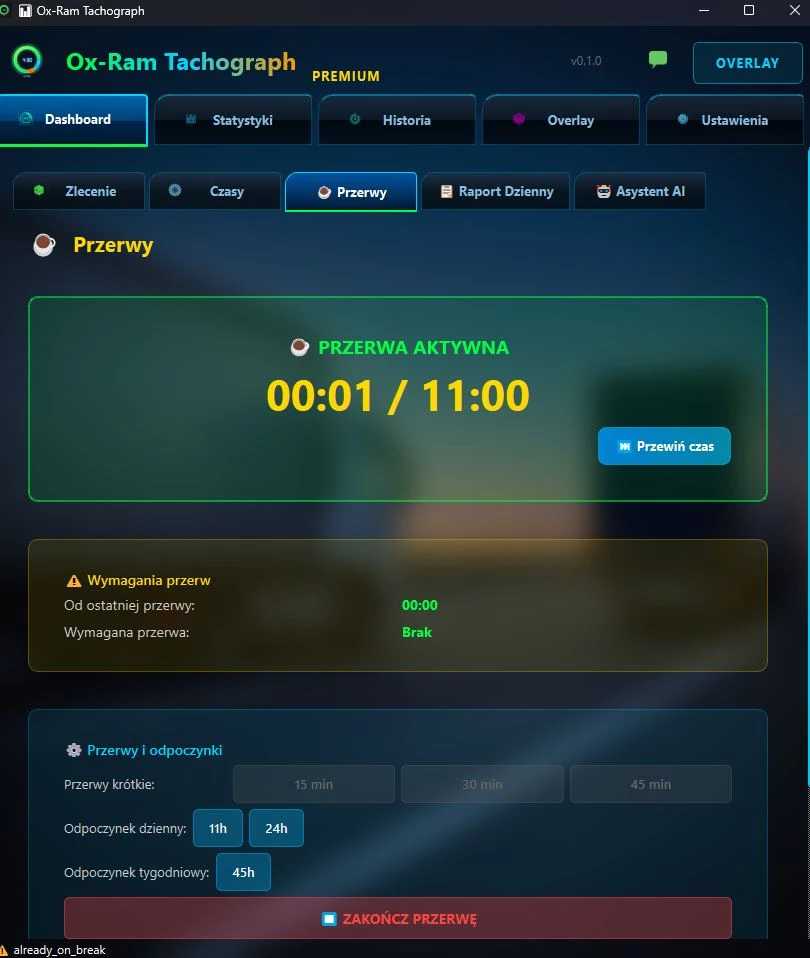
Ox-Ram Tachograph is a comprehensive digital tachograph application designed specifically for Euro Truck Simulator 2. This tool helps drivers track and monitor their driving activities while maintaining compliance with EU regulations within the game environment.
Key Features:
– Real-time tracking of driving time, rest periods, and work hours
– Automatic logging of driving sessions
– Visual indicators for remaining driving time
– Compliance monitoring with EU driver hours regulations
– Daily, weekly, and bi-weekly driving time calculations
– Customizable hotkey activation for in-game display
– Sound notifications and warnings
– Detailed activity reports and statistics
Installation:
1. Extract the downloaded archive
2. Copy the plugin files to your ETS2 installation directory
3. Launch the Ox-Ram Tachograph application
4. Configure your preferred settings and hotkey
5. Start ETS2 and use the hotkey to display tachograph data
Compatibility:
– Supports latest ETS2 versions
– Works with both standard and modded game installations
– Compatible with ETS2 telemetry system
This mod enhances the realism of Euro Truck Simulator 2 by adding professional driver hour management and compliance tracking features.
Credits: Ox-Ram Company
How to install ETS2 mods or ATS Mods
In Euro Truck Simulator 2 it’s easy to install mods. You just need to download mod from here, copy/unzip files into: “My Documents\Euro Truck Simulator 2\mod” folder or if you play ATS please install mods to: “My Documents\American Truck Simulator\mod” folder. To unzip files you can use: WinRAR or 7zip. After that you need to activate the mods you want to use.