NIELSON DIPLOMATA 380 VOLVO ETS2 v1.0 ETS2
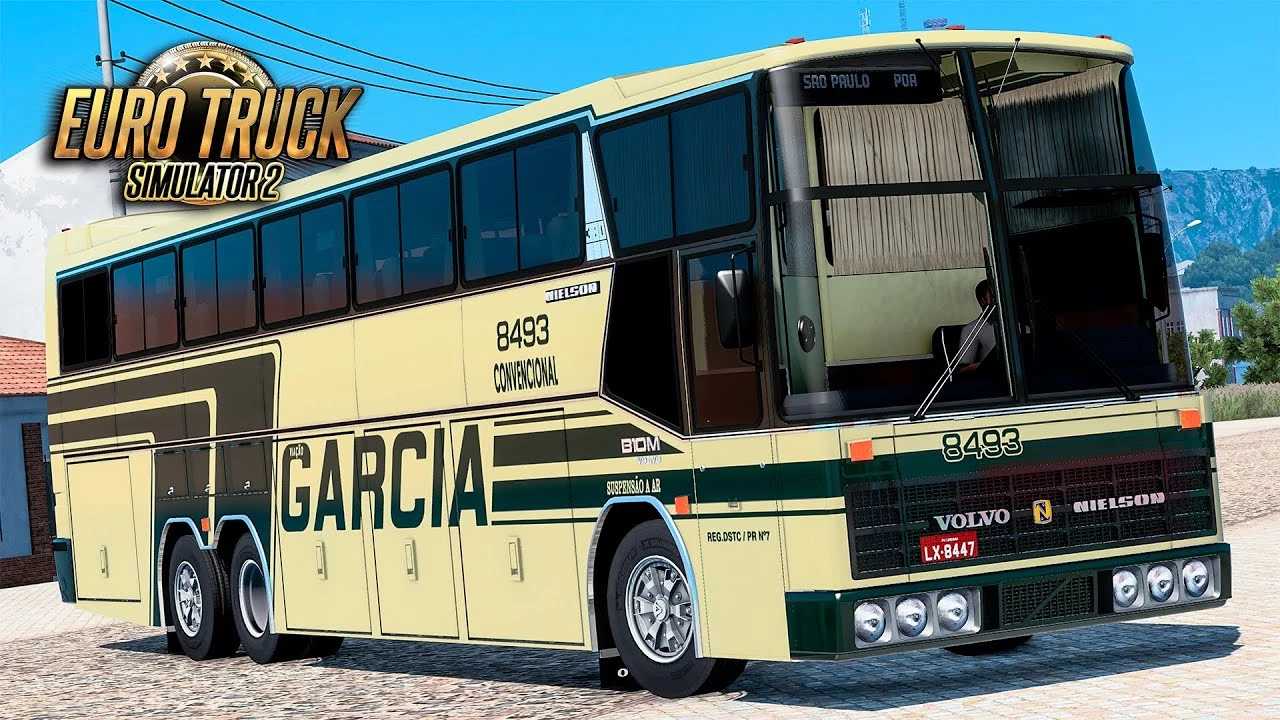

NIELSON DIPLOMATA 380 VOLVO ETS2 v1.0 ETS2
The Nielson Diplomata 380 Volvo is a popular bus mod for Euro Truck Simulator 2 (ETS2). This mod allows players to drive a detailed representation of the Nielson Diplomata 380 bus, often with a Volvo chassis.
Common features of the mod include:
Detailed Modeling: The bus is generally well-modeled, both on the exterior and interior, with attention to detail in the driver’s cab and passenger lounge.
Animations: Many mods of this type include functional animations for doors, luggage racks, pedals, and even the ignition key.
Skins/Paint Jobs: The mod usually comes with a variety of skins (paint jobs) from real or fictional bus companies, and often allows for the creation of custom skins.
Engines and Transmissions: Offers Volvo engine and transmission options, allowing players to customize the bus’s performance.
Realistic Sounds: The mod may include custom sounds for the engine, horn, and other elements, increasing immersion.
Compatibility: It is important to check which version of ETS2 the mod is compatible with, as game updates can affect the functionality of mods. Versions 1.47, 1.48, 1.50, 1.53, and 1.54 have been mentioned in recent videos.
Passengers: Some mods allow you to add passengers inside the bus and luggage in the luggage compartments, making the transportation experience more realistic.
To install a mod in ETS2, the general process is as follows:
1. Download: Download the mod file (usually a .scs file).
2. Move to Mods Folder: Copy the .scs file to the “mod” folder of your Euro Truck Simulator 2 game. The typical path is: `Documents/Euro Truck Simulator 2/mod`.
3. Activate in Mod Manager: Start Euro Truck Simulator 2, go to the “Mod Manager” in your game profile, and activate the Nielson Diplomata 380 Volvo mod. Make sure the order of the mods is correct if you have other mods installed.
4. Purchase in Game: After activating, you will usually need to go to a truck dealership (or bus dealership, if the mod adds one) in the game to purchase the bus.
It is always recommended to check the specific instructions provided by the mod creator, as there may be additional requirements or installation details.
Credits: PIRATEIRO GAME & EQUIPE
How to install ETS2 mods or ATS Mods
In Euro Truck Simulator 2 it’s easy to install mods. You just need to download mod from here, copy/unzip files into: “My Documents\Euro Truck Simulator 2\mod” folder or if you play ATS please install mods to: “My Documents\American Truck Simulator\mod” folder. To unzip files you can use: WinRAR or 7zip. After that you need to activate the mods you want to use.