MOD GRAFICO KARRYs v1.0 ETS2

MOD GRAFICO KARRYs v1.0 ETS2
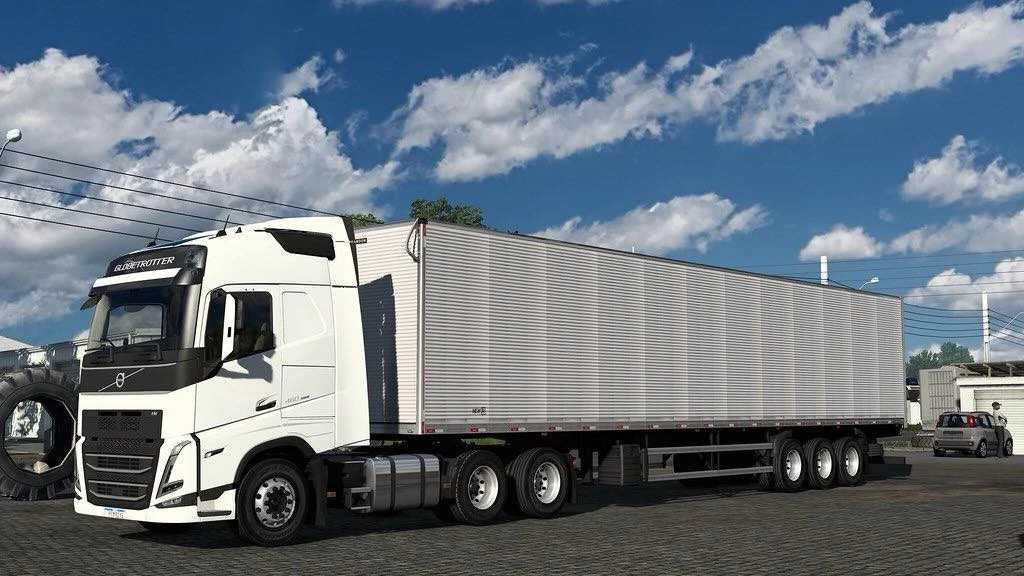
For Euro Truck Simulator 2 (ETS2), the Karry’s graphics mod is an excellent option for those looking to improve the game’s visual fidelity. It stands out for improving several aspects, making the simulation experience even more immersive.
What does the Karry’s Graphic Mod offer?
The Karry’s Mod generally focuses on:
Lighting: Significantly improves the way light interacts with the environment, making the day-night cycle more realistic, with smoother transitions and impressive sunrise/sunset effects.
Colors and Contrast: Adjusts the game’s color palette to more natural and realistic tones, as well as optimizing contrast for a more vibrant and detailed look. This impacts everything from the coloring of vegetation to the appearance of vehicles and buildings.
Weather and Visual Effects: Improves weather effects such as rain, fog and thunderstorms, making them more immersive. Visibility and atmosphere are changed in a more convincing way.
Textures: Although it is not a complete texture mod, it can complement and enhance the existing textures in the game, making roads, buildings and landscapes look sharper and more detailed.
To install, the process is generally the same for most ETS2 mods:
1. Download the mod file: It usually comes in .scs format.
2. Move the file to the “mod” folder: The folder is located in `Documents/Euro Truck Simulator 2/mod`.
3. Activate in game: Open ETS2, go to the Mod Manager in the main menu and activate Karry’s Mod, making sure it is in the correct loading order (graphical mods are usually at the top).
Important Tips:
Compatibility: Always check the version of ETS2 the mod was made for. The game receives constant updates, and old mods may not work correctly or cause crashes.
Load Order: The order in which you activate mods in the Mod Manager is crucial. Graphics mods generally need to be on top of other map or vehicle mods to work properly.
Graphics Settings: You may need to adjust some graphics settings in-game after installing the mod to get the best performance and visuals.
Trying out mods like Karry’s is a great way to freshen up your ETS2 experience and enjoy even more stunning visuals!
Credits: STAFF
How to install ETS2 mods or ATS Mods
In Euro Truck Simulator 2 it’s easy to install mods. You just need to download mod from here, copy/unzip files into: “My Documents\Euro Truck Simulator 2\mod” folder or if you play ATS please install mods to: “My Documents\American Truck Simulator\mod” folder. To unzip files you can use: WinRAR or 7zip. After that you need to activate the mods you want to use.