MB 1318 R.C.MOD 1.55 ETS2
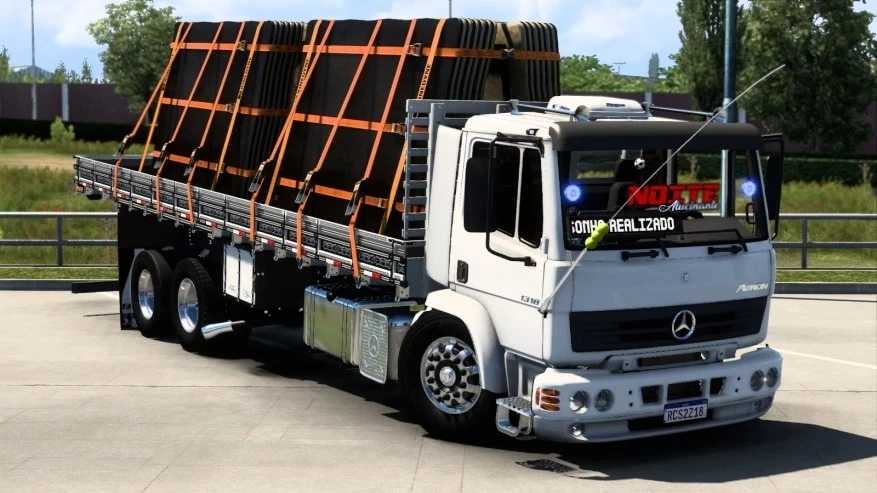

MB 1318 R.C.MOD 1.55 ETS2
Unfortunately, the Mercedes-Benz 1318 is not featured in the base game of Euro Truck Simulator 2 (ETS 2). Like other classic trucks, it does not have an official licence to be included by SCS Software.
However, the modding community is extremely active, and it is possible that a mod for the MB 1318 R.C.MOD has been created. The term ‘R.C.MOD’ usually refers to a specific mod creator. These old truck mods are very popular among players, especially Brazilians.
How to get the MB 1318 R.C.MOD in ETS 2
If you want to drive the classic MB 1318, the only way is to install a mod. Here’s how to find and use one:
1. Search for the mod: The first step is to search for the mod. Use search terms such as ‘MB 1318 R.C.MOD ETS2’ on trusted mod sites. The Steam Workshop is also a great place to start, as mods are easy to install and are usually updated.
2. Check compatibility: Make sure the mod is compatible with your version of ETS 2. This is crucial to avoid errors and crashes in the game.
3. Install the mod:
Download the mod file (usually a `.scs` file).
Place the file in the ETS 2 ‘mod’ folder, located in `Documents/Euro Truck Simulator 2/mod`.
Start the game and go to the ‘Mod Manager’ in the main menu.
Activate the mod and click ‘Confirm Changes’.
4. Purchase the truck in the game: After activating the mod, the truck will be available for purchase at one of the mod truck dealerships. You can usually find it at a mod dealership.
If you find a high-quality MB 1318 mod, the experience of driving this legendary truck will be incredible. These mods usually include realistic engine sounds and customisation options that reflect the truck’s real-life appearance.
Credits: rc mods
How to install ETS2 mods or ATS Mods
In Euro Truck Simulator 2 it’s easy to install mods. You just need to download mod from here, copy/unzip files into: “My Documents\Euro Truck Simulator 2\mod” folder or if you play ATS please install mods to: “My Documents\American Truck Simulator\mod” folder. To unzip files you can use: WinRAR or 7zip. After that you need to activate the mods you want to use.