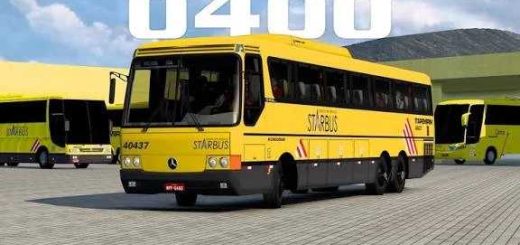
Marcopolo G7 1050 Multi chassis 1.55 ETS2


Marcopolo G7 1050 Multi chassis 1.55 ETS2
Mod compatible with the current version of the game.
Delivery method: After payment confirmation, the mod is released to your account. (Log in to your account and go to the orders tab.)
Step-by-step instructions for installing your mod:
1. Go to the “Home” page of our website and click the login icon in the upper right corner.
2. Enter your email and password.
3. After logging in, go to the “Orders” tab and download the files.
4. With the downloaded .zip file, extract and drop the two .scs files into your game’s MOD folder.
5. Now, just activate it in your mod manager and enjoy. Mod compatible with the current version of the game.
Credits: DF MOLDS
How to install ETS2 mods or ATS Mods
In Euro Truck Simulator 2 it’s easy to install mods. You just need to download mod from here, copy/unzip files into: “My Documents\Euro Truck Simulator 2\mod” folder or if you play ATS please install mods to: “My Documents\American Truck Simulator\mod” folder. To unzip files you can use: WinRAR or 7zip. After that you need to activate the mods you want to use.
Report bugs in the comments and help modders improve this mod. Always check the comments, you can find a solution.