MAN TGX 2020 Improved Dashboard v1.9 ETS2




MAN TGX 2020 Improved Dashboard v1.9 ETS2
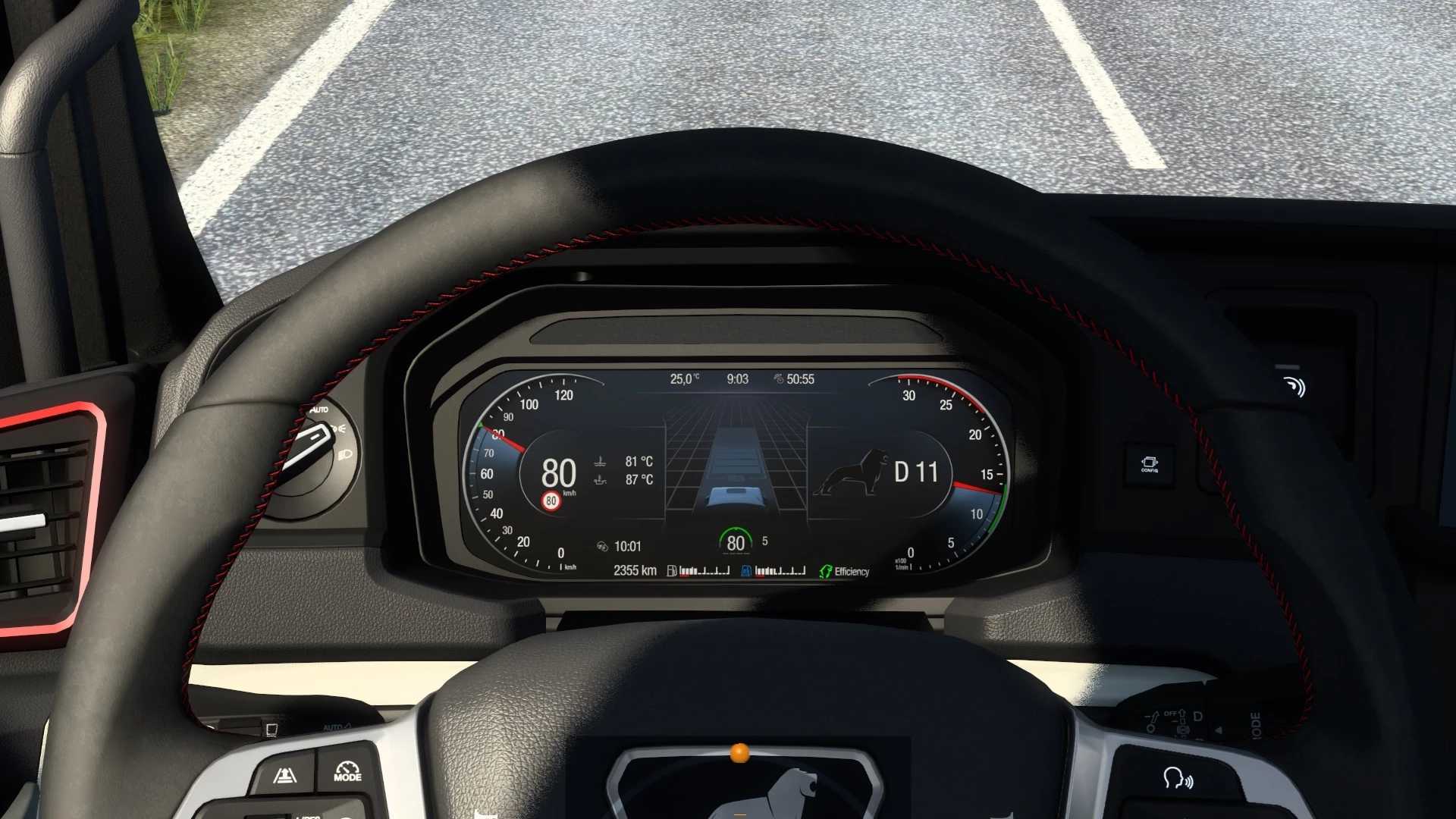
This mod improves MAN TGX 2020 dashboard:
– added left/right blind spot indicators;
– added remaining fuel/adblue in tank percent;
– added trip meter on default screen;
– added ETA (estimated time to arrival) indicator, hidden when time is not available (no delivery, no navigation etc.);
– added time until rest is needed indicator, hidden when fatigue option is disabled;
– added turbo gauge;
– added compass on gps display;
– added fuel consumed since last trip computer reset gauge;
– changed gear/gear_mode indicator;
– improved readability of the speed limit on GPS/dashboard displays;
– adeed “Always On Display” page on infotainment module;
– fixes and improvements.
Credits: KnightRider, AMYLECH
How to install ETS2 mods or ATS Mods
In Euro Truck Simulator 2 it’s easy to install mods. You just need to download mod from here, copy/unzip files into: “My Documents\Euro Truck Simulator 2\mod” folder or if you play ATS please install mods to: “My Documents\American Truck Simulator\mod” folder. To unzip files you can use: WinRAR or 7zip. After that you need to activate the mods you want to use.
Report bugs in the comments and help modders improve this mod. Always check the comments, you can find a solution.