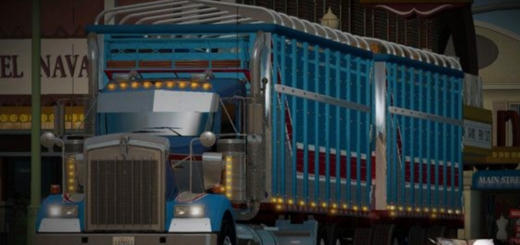
Mack R600 edit by Albino AD v2.0 ATS


Mack R600 edit by Albino AD v2.0 ATS
Standalone truck (Mack Dealer / Mod Dealer)
Authentic Mack R600 cabover with major visual & technical improvements
Multiple chassis configurations: 6×4, 6×2 & vocational setups
Engine options: Mack E6 & E7 series (300–450+ HP)
Real engines & transmissions with torque curves, ratios & accurate parameters
Detailed custom interior with enhanced dashboard & gauges
Extensive tuning: chrome bumpers, grilles, stacks, visors, LEDs, skirts, tanks, mudflaps, roof spoilers
Multiple paint & skin options + skin template
High‑quality 3D model with improved PBR textures & realistic reflections
Realistic animations & advanced physics
Full lighting package: headlights, taillights, indicators, beacon
Real dimensions based on Mack specifications
Fully animated, detailed interior
All standard SCS features: advanced coupling, trailer cables, etc.
Modeling based on extensive reference photos (Trayscapes + Google)
Beautiful engine sounds by Kriechbaum (6V92, Mack E6) & recordings by Trayscapes
Original paint jobs by Lucasi, Pauly & Albino AD
No errors, no warnings, minimal conflicts
Next‑Gen Scania paintjob system (all skinnable parts have templates)
Currently includes R600 hood with day cab
Tested on game version 1.58.x
Credits: Harven, Kriechbaum, Pauly, Lucasi, Trayscapes, RTA Team, Albino AD
How to install ETS2 mods or ATS Mods
In Euro Truck Simulator 2 it’s easy to install mods. You just need to download mod from here, copy/unzip files into: “My Documents\Euro Truck Simulator 2\mod” folder or if you play ATS please install mods to: “My Documents\American Truck Simulator\mod” folder. To unzip files you can use: WinRAR or 7zip. After that you need to activate the mods you want to use.