Macau wheel pack v1.0 ETS2

Macau wheel pack v1.0 ETS2
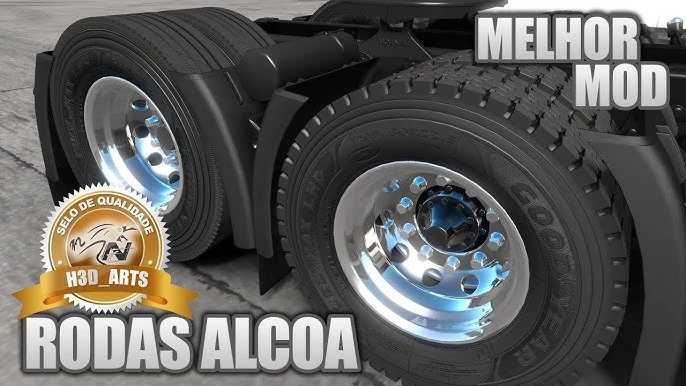
When you talk about a “Macau Wheel Pack,” you’re probably referring to wheel mod packs for truck simulation games, such as Euro Truck Simulator 2 (ETS2).
There are several content creators and modders who develop “wheel packs” to customize trucks and trailers in games. These packs typically include:
– Variety of models: Chrome, iron, Alcoa, Speedline wheels, with different designs, etc.
– Realistic tires: Rubber tires, with or without chains, and even with varying dirt finishes.
– Accessories: Hubcaps (with various spikes), lug nuts, and hubcaps.
– Compatibility: Many of these packs are updated for the latest versions of the games and are designed to be lightweight enough to work on different PC configurations.
How to use a wheel pack?
Typically, you download the pack file (which is usually in .scs format) and place it in your game’s “mod” folder (for example, `Documents/Euro Truck Simulator 2/mod`). Then, you need to activate the mod within the game’s mod manager.
If you’re looking for a specific “Macau Wheel Pack” or have any questions about installing or finding a mod, please let me know more details so I can help you more accurately!
Credits: paulo junior
How to install ETS2 mods or ATS Mods
In Euro Truck Simulator 2 it’s easy to install mods. You just need to download mod from here, copy/unzip files into: “My Documents\Euro Truck Simulator 2\mod” folder or if you play ATS please install mods to: “My Documents\American Truck Simulator\mod” folder. To unzip files you can use: WinRAR or 7zip. After that you need to activate the mods you want to use.