IVECO S-Way Improved Dashboard v1.0 1.55 ETS2


IVECO S-Way Improved Dashboard v1.0 1.55 ETS2
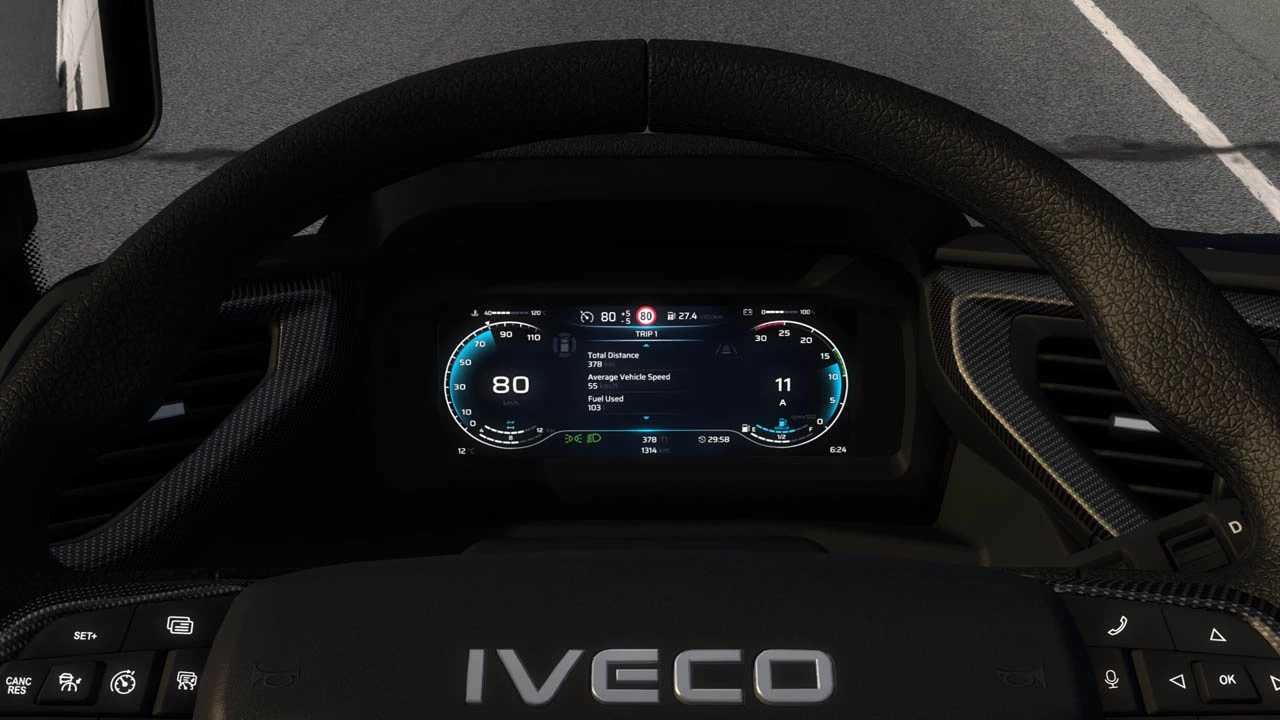
This mod improved SCS IVECO S-Way dashboard:
– added low beam icon;
– added trip distance indicator on all pages;
– added trip average consumption gauge on all pages;
– added fuel gauges;
– added remaining fuel/abblue in tank percent;
– added remaining fuel gauge;
– added guessed operating range of vehicle gauge;
– added ETA (estimated time to arrival) indicator, hidden when time is not available (no delivery, no navigation etc.);
– added time until rest is needed indicator, hidden when fatigue option is disabled;
– changed home page;
– changed cruise control section;
– changed left/right blind spot indicators;
– changed low air pressure warning;
– changed low fuel level warning;
– rebuilded structure of the infotainment module;
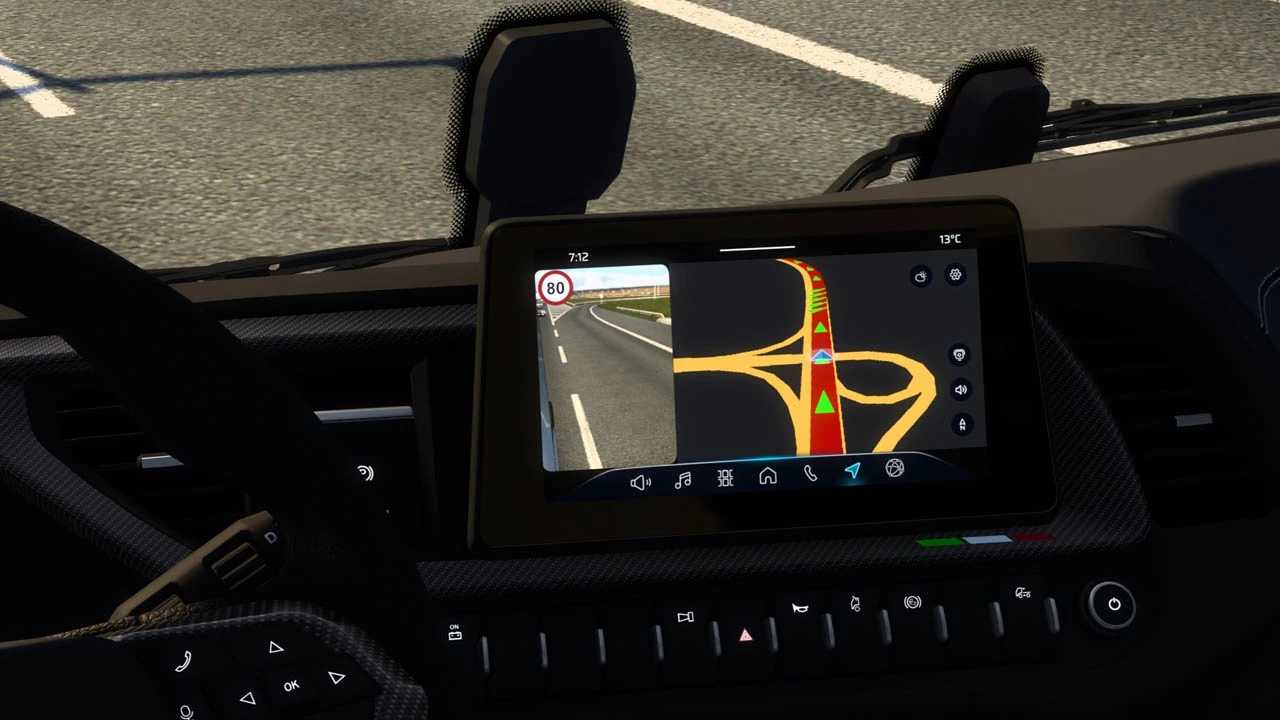
– added pages with passenger MirrorCam on GPS module;
– added “Always On Display” page on infotainment module;
– added speed limit on gps page;
– fixes and improvements.
Credits: KnightRider
How to install ETS2 mods or ATS Mods
In Euro Truck Simulator 2 it’s easy to install mods. You just need to download mod from here, copy/unzip files into: “My Documents\Euro Truck Simulator 2\mod” folder or if you play ATS please install mods to: “My Documents\American Truck Simulator\mod” folder. To unzip files you can use: WinRAR or 7zip. After that you need to activate the mods you want to use.