Interior Cabin Lights v2217 ETS2

Interior Cabin Lights v2217 ETS2
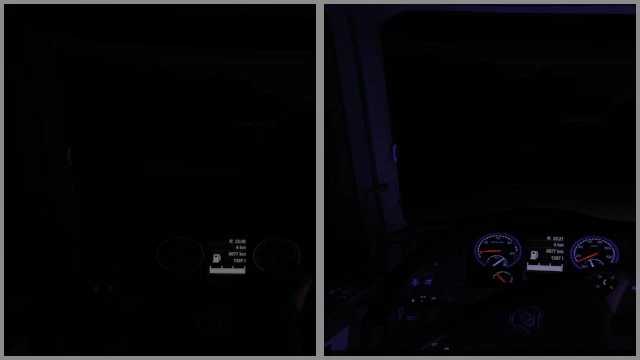
The mod provides a choice of interior cabin lighting: blue, green, orange, purple, red and white for all standard and some mod trucks.
The backlight is available in the “Driver’s plate” and “Navigator’s plate” sections. You can even mix them: assign “On with dimensions” to one plate and “On with flashing light” to another plate, or assign “On with dimensions” or “On with flashing light” to both.
On with dimensions: the backlight works when the parking lights (dimensions)
are turned on. On with the flashing light: the backlight turns on when the flashing lights are turned on.
The backlight is only visible when it is dark outside your truck.
Make sure that in the settings:
The “Light range of visibility” is not disabled.
The “Additional car headlights” checkbox is selected.
Update in preparation for patch 1.58
Credits: Eddie Yantz
How to install ETS2 mods or ATS Mods
In Euro Truck Simulator 2 it’s easy to install mods. You just need to download mod from here, copy/unzip files into: “My Documents\Euro Truck Simulator 2\mod” folder or if you play ATS please install mods to: “My Documents\American Truck Simulator\mod” folder. To unzip files you can use: WinRAR or 7zip. After that you need to activate the mods you want to use.