Hela Go Combo Pack v1.0 ETS2



Hela Go Combo Pack v1.0 ETS2
Combo Skin Packs
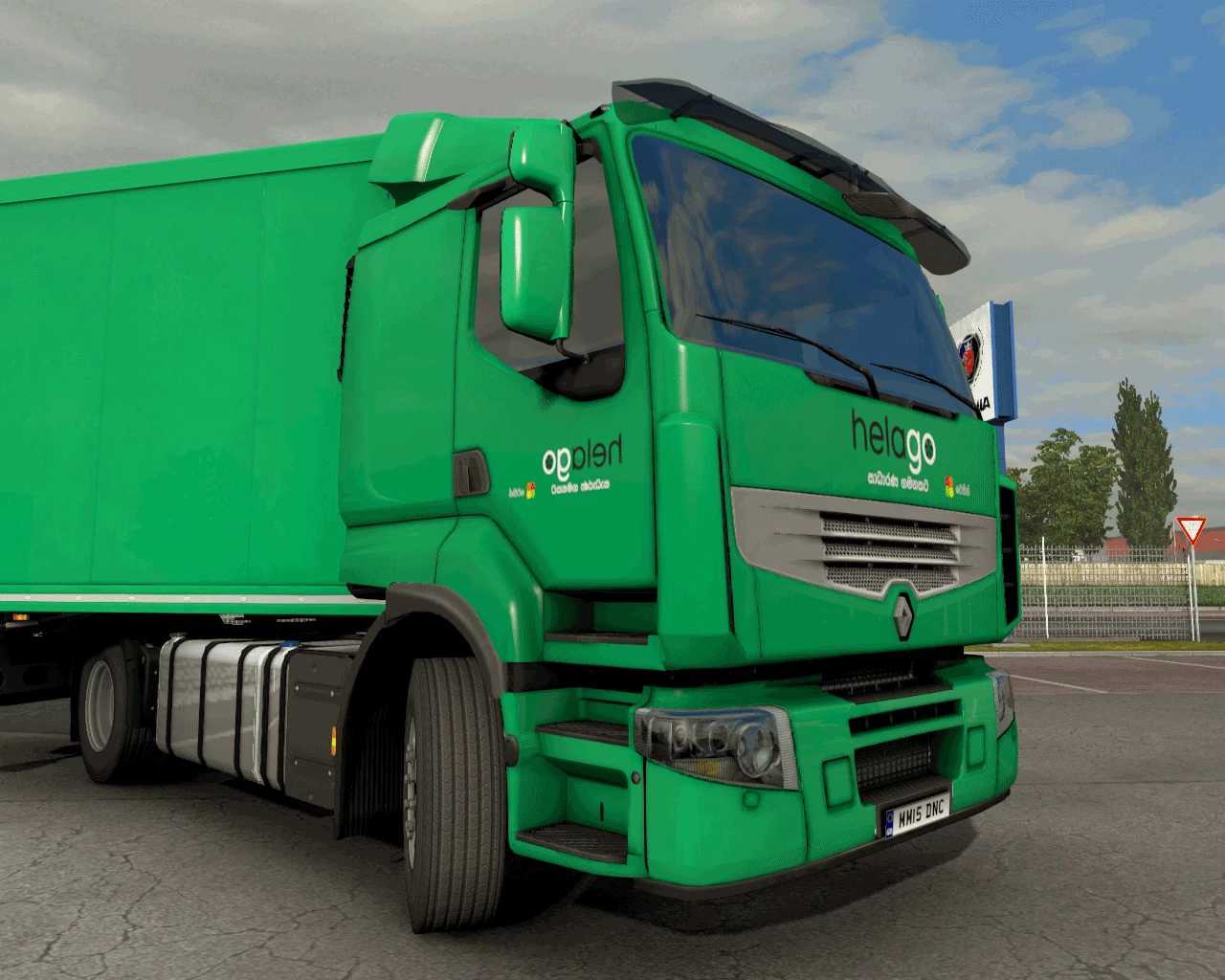
Hela Go Truck Skin – Renault Premium Truck + Krone Cool Liner Trailer
Supported Versions: ETS2 1.35 to 1.56
Mod Description:
Bring Sri Lankan spirit to your Euro Truck Simulator 2 experience with the Hela Go Truck Skin mod! This pack includes a culturally inspired Renault Premium Truck skin and a matching Krone Cool Liner Trailer skin, designed with traditional Sri Lankan patterns and vibrant colors.
Features:
– Custom Sri Lankan-themed skin for Renault Premium Truck
– Matching skin for Krone Cool Liner Trailer
– High-quality textures and realistic design
– Fully compatible with ETS2 versions 1.35 to 1.56
How to Install the Mod:
1. Download the .scs mod file.
2. Copy it to your Documents > Euro Truck Simulator 2 > mod folder.
3. Open the game and go to Mod Manager.
4. Enable Hela Go Truck Skin and click Confirm Changes.
5. Load your profile and enjoy the game!
Drive with pride. Feel the culture. Hela Go – A Sri Lankan trucking experience in ETS2!
Credits: Ceylon Trucker
How to install ETS2 mods or ATS Mods
In Euro Truck Simulator 2 it’s easy to install mods. You just need to download mod from here, copy/unzip files into: “My Documents\Euro Truck Simulator 2\mod” folder or if you play ATS please install mods to: “My Documents\American Truck Simulator\mod” folder. To unzip files you can use: WinRAR or 7zip. After that you need to activate the mods you want to use.