G6 Scania 6×2 Paradiso 1550 LD Premium v1.0 ETS2
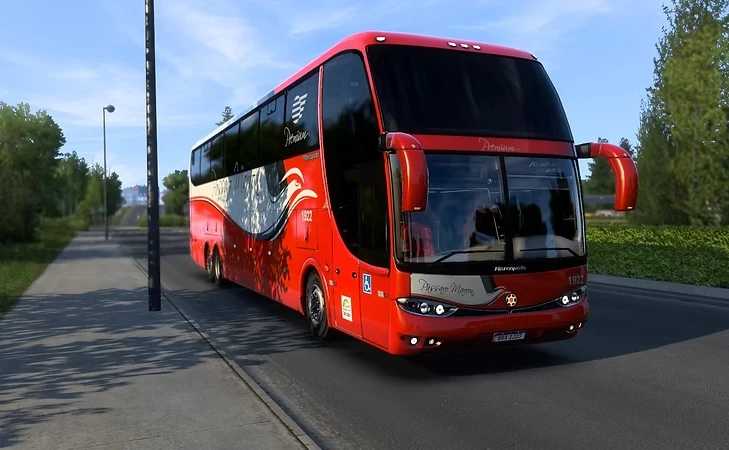

G6 Scania 6×2 Paradiso 1550 LD Premium v1.0 ETS2
For ETS 2 versions: | 1.54.x | 1.55.x | 1.56.x
This Mod Contains:
– Scania steering wheel options: Old.
– Engines with various horsepower;
– Various transmission options;
– Skins from the largest trucking companies and 20 for you to edit;
– Cabin, aisle, and luggage compartment lights: (Tip: To turn on the light, use the same button as the rotating beacon)
– 3 texture options: Driver’s cabin, seats, curtains, and luggage compartment;
– 3D made from scratch, 4K graphics, and super lightweight for greater performance;
– Realistic shadows;
– License plates to choose from;
– Functional pedals with animations: Brake and accelerator.
– 3-speed windshield wipers.
– Dashboard with functional animations;
– Animations on the door, luggage rack, and driver’s window;
– Optional: Passengers boarding and disembarking.
– Editable signage;
And many more exclusive extras for you to customize to your liking.
The Marcopolo Paradiso G6 1550 LD bus series is quite popular in Brazil. Launched in 2011, this bus body line is known for its comfort, durability, and modern design. It is equipped with several advanced technologies, such as improved suspension systems and efficient engines, providing a smooth and safe ride.
Furthermore, the 1550 LD model offers a good passenger capacity, making it an ideal choice for urban and highway transportation companies.
Credits: FC
How to install ETS2 mods or ATS Mods
In Euro Truck Simulator 2 it’s easy to install mods. You just need to download mod from here, copy/unzip files into: “My Documents\Euro Truck Simulator 2\mod” folder or if you play ATS please install mods to: “My Documents\American Truck Simulator\mod” folder. To unzip files you can use: WinRAR or 7zip. After that you need to activate the mods you want to use.