Ekeri Trailers Revision by Kast v1.3.5 1.57x ETS2
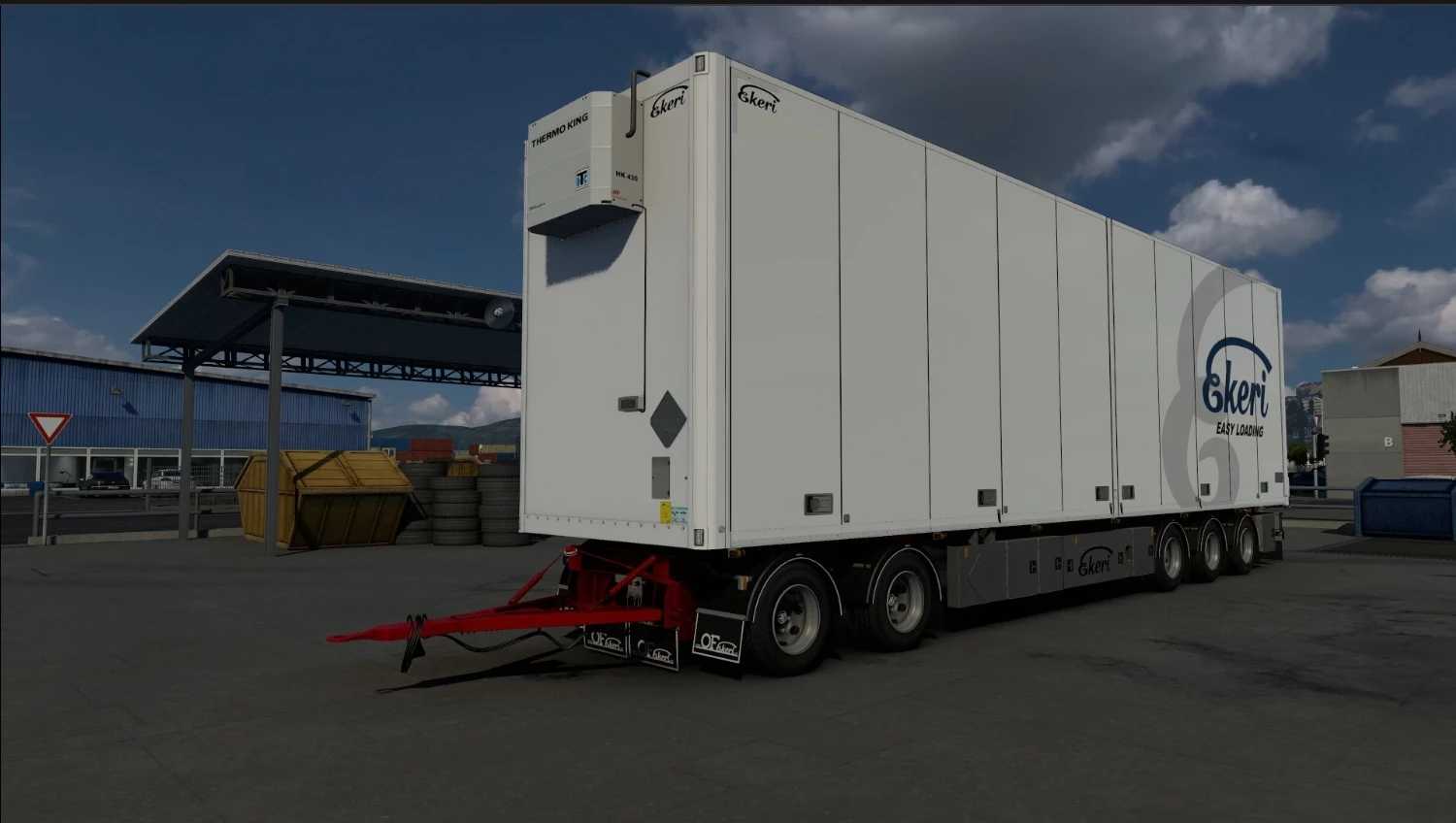


Ekeri Trailers Revision by Kast v1.3.5 1.57x ETS2
Changelog v1.3.5
Small update on main mod and addon to 1.57
– Missing texture fixed
– Adjusted hook positions
Changelog v1.3.4 Fix
Small update on mods
– Added shorter drawbar option for mid axle trailer
– Packed mods with scs packer(Main mod and Full trailer addon)
Changelog v1.3.4
– Correct side doors added for insulated trailer (FRC/FNA)
Changelog v1.3.3
update on both main mod and full trailers addon.
– Added proper side doors for insulated trailers
Changelog v1.2.3 Fix
– Fixed front corner lights
Changes in v1.2.3:
– Added regular bumpers for module16 single trailer
– Added option for orange front lights
Semi-trailers with various wheelbase and axle config.
– Standard
– Step-frame
– City
– Double
– HCT
– Advanced coupling
– Trailer lift axle
– Animated braces
– Trailer cables
Credits: Kast - Trailers SCS - Everything Skins, textures: Fabry85 Ogentor Daniminho Csabee Wheels: Semitrailer Abasstreppas - original textures, high poly model 50keda - low poly base Kast - wheels Mid-axle trailer Abasstreppas Flares for the LEDs: Abasstreppas
How to install ETS2 mods or ATS Mods
In Euro Truck Simulator 2 it’s easy to install mods. You just need to download mod from here, copy/unzip files into: “My Documents\Euro Truck Simulator 2\mod” folder or if you play ATS please install mods to: “My Documents\American Truck Simulator\mod” folder. To unzip files you can use: WinRAR or 7zip. After that you need to activate the mods you want to use.