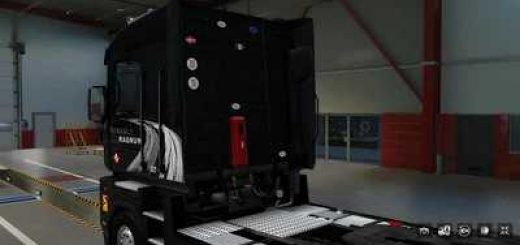
DAF F241-series by XBS v2.0-1.58 ETS2


DAF F241-series by XBS v2.0-1.58 ETS2
Version: 2.0
Standalone truck
Model and additional details created in Blender 3d.
Edit mod for personal use only.
Author: XBS, updated by LadenSwallow
Additional parts for rigid and BDF from: KieskutscherEF, Sebastian7870
Trucksigns from: maxx2504, reworked by LadenSwallow
version ETS2 1.58.x
Changelog v2.0
– support of ETS2 version 1.58
– updated UI materials and icons
– cleaned up automat folder
– tweaked UI shadows
– tweaked UV map of bottomgrill
– tweaked dashboard illumination
– fixed 6×2 taglift chassis
– fixed dash set and addon hookups
– added UK interiors
– added paintable chassis parts (frame, fueltank, rear fender, rear lights, exhaust)
– added rigid and swapbody chassis and their accessories (based on KieskutscherEF’s DAF ATI95 Chassis)
– remorked rigid Cargo by removing dependency from Sebastian7870’s swapbody mod
– added roof racks (based on KieskutscherEF’s MAN F2000 rack)
– added SCS roofgrills
– added chrome variants of front bumper and fueltank
– renamed ‘bumper’ to ‘f_bumper’ for better compatibility with tuning parts
– renamed ‘cab_decal’ to ‘s_badge’ for better compatibility with truck config scene
– renamed ‘deflectors’ to ‘cor_def’ for better compatibility with truck config scene
– added short bottomgrill with slots (suitable for Belka’s Hella 220 lamps)
– added more slots to slot-only roofgrills
– added mirror slots
– added spoiler for cabin_a
– added ‘taurus’ spoiler for cabin_c
– added simple roof bar with Slots for a and c cabin
– moved ‘kleinn’ spoiler from roofgrill to spoiler locator
– separated ‘kleinn’ horns as addon hookup
– added Rába Badges for front grille and doors
– added compatibility with DAF tuning pack DLC
– added compatibility with some paintjob DLCs
– added pillow and toybed locators to c and d cabin
– added curtains accessory to c cabin
– added sound effects to interiors
– added headrests to exclusive interiors
– added 4 classic striped paintjobs
– separated front badge from side decals
– separated lightbox decal from lightbox, making it changeable via addon hookup
Credits: XBS, LadenSwallow, KieskutscherEF, Sebastian7870
How to install ETS2 mods or ATS Mods
In Euro Truck Simulator 2 it’s easy to install mods. You just need to download mod from here, copy/unzip files into: “My Documents\Euro Truck Simulator 2\mod” folder or if you play ATS please install mods to: “My Documents\American Truck Simulator\mod” folder. To unzip files you can use: WinRAR or 7zip. After that you need to activate the mods you want to use.