DAF 530 1.56 ETS2
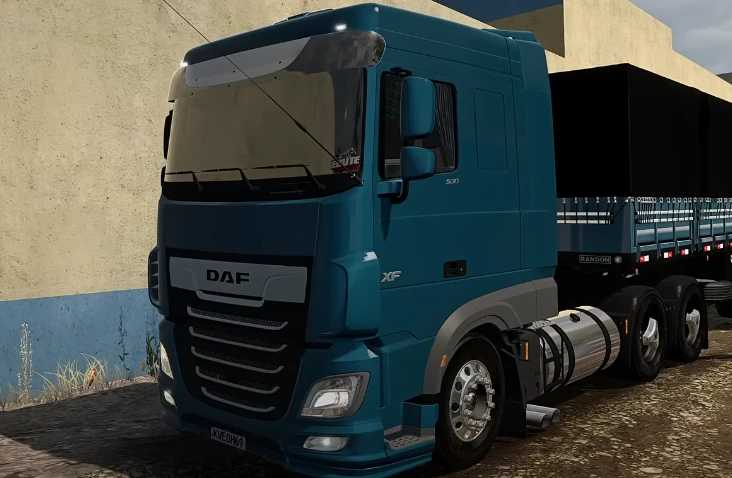

DAF 530 1.56 ETS2
Marine Horns: Large pneumatic horns mounted on the roof.
Headlights and Lights: Fog lights and additional roof lights (rotary/rotary).
Sun Visor: Front sun visor, often with paint options or customized with stickers and lettering.
Interclima/Air Conditioner: Roof-mounted air conditioning unit, very common in the Brazilian climate.
Hydraulic Tank (VAT Tank): Chromed or modified tanks, especially at the rear of the cab (for trucks with dump trucks or tippers).
PX Antenna: PX radio antennas on both sides of the cab.
Straight Exhausts: Side-exit exhaust options (straight exhausts), altering the truck’s sound.
Wheels and Mudguards: Polished aluminum wheels and custom or paintable mudguards (splash guards).
Cabin Accessories (Interior)
Owls/Pendants: Small accessories hanging from the windshield (Michelin figures, for example) or at various points in the interior. Many mods add physics to these objects.
Stickers and Signs: Stickers for groups (GBN, GFM, etc.), routes (Route 262), and other decorative items on the windshield.
Speakers: Custom speakers (DAF speakers) on the sides of the cabin.
Steering Wheel: Custom steering wheel options.
Credits: matuto game
How to install ETS2 mods or ATS Mods
In Euro Truck Simulator 2 it’s easy to install mods. You just need to download mod from here, copy/unzip files into: “My Documents\Euro Truck Simulator 2\mod” folder or if you play ATS please install mods to: “My Documents\American Truck Simulator\mod” folder. To unzip files you can use: WinRAR or 7zip. After that you need to activate the mods you want to use.