Caio millennium 1.55 ETS2
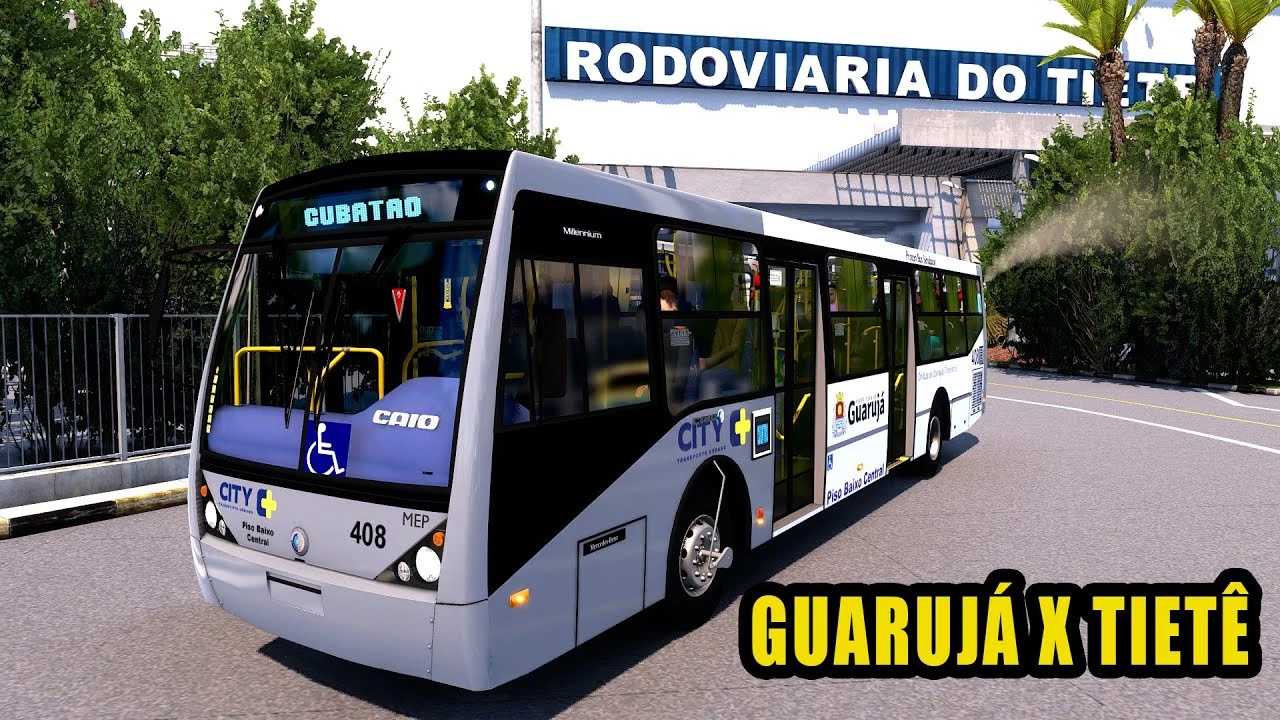

Caio millennium 1.55 ETS2
You’re looking for a Caio Millennium bus mod for Euro Truck Simulator 2 (ETS2) that is compatible with game version 1.55! This is a very popular request, as Caio Millennium buses are iconic in Brazil and well-loved by the ETS2 community.
The good news is that there are indeed Caio Millennium mods available for ETS2, and some have been updated to support newer versions like 1.55. You’ll most likely find versions of the Caio Millennium II PBC and the newer Caio Millennium V.
Key Information about Caio Millennium Mods
Models: The most common models you’ll find are the Caio Millennium II PBC (Piso Baixo Central), which was a very common urban bus in São Paulo and other Brazilian cities, and the Caio Millennium V, a more modern urban model.
Features: These mods often include:
Detailed 3D models: Both exterior and interior are usually well-replicated.
Various chassis options: Often supporting different Mercedes-Benz or Volvo chassis configurations, reflecting real-world bus variations.
Customization: Multiple skins (including real-world Brazilian bus companies), different wheel options, and interior accessories.
Unique sounds: Many high-quality bus mods come with realistic engine and transmission sounds.
Animations: Improved interior and exterior animations.
Passenger Mods: While the base game is for cargo, many bus mods are often paired with a separate passenger mod (like the “Mod de Passageiros” by Cristhian Cardoso) that allows you to pick up and drop off virtual passengers, adding to the realism of urban bus simulation.
Brazilian Modders: Many of the best Caio Millennium mods are created by Brazilian modders, who put a lot of effort into making them authentic. Look for names like Cristhian [BR] and Carlos Daniel on modding sites or the Steam Workshop.
Installation for `.scs` files:
1. Download the mod file (it will likely be a `.zip` or `.rar` archive containing one or more `.scs` files).
2. Extract the `.scs` file(s).
3. Copy these `.scs` files to your `Documents/Euro Truck Simulator 2/mod` folder.
4. Launch ETS2.
5. From the profile selection screen, click on “Mod Manager.”
6. Find the Caio Millennium mod(s) in the left column and activate them by clicking the right arrow to move them to the active mods column.
7. Click “Confirm Changes.”
8. Load your game profile. You should be able to purchase the bus at a mod dealer in the game.
Credits: gasp
How to install ETS2 mods or ATS Mods
In Euro Truck Simulator 2 it’s easy to install mods. You just need to download mod from here, copy/unzip files into: “My Documents\Euro Truck Simulator 2\mod” folder or if you play ATS please install mods to: “My Documents\American Truck Simulator\mod” folder. To unzip files you can use: WinRAR or 7zip. After that you need to activate the mods you want to use.