AXOR 2543 v1.0 ETS2
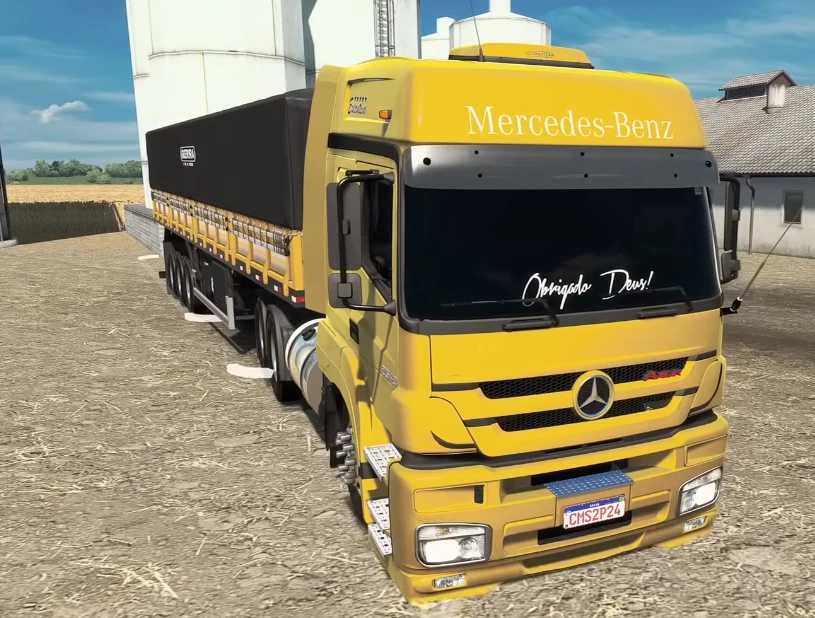

AXOR 2543 v1.0 ETS2
Standalone Truck Model
Detailed Exterior & Interior – Authentic textures and cabin layout
Custom Sounds & Wheels – Unique audio profile and wheel sets
Illuminated Gauges – Speedometer and tachometer arrows light up
Accurate Driver Positioning – Character sits naturally in the seat
Chassis Options – Multiple configurations to suit your hauling needs
Engine & Transmission Choices – Tailor performance to your style
Wheel Configurations – Customize your grip and handling
Paint & Skins – Choose from solid colors, metallic finishes, or custom skins
Authentic Branding – Mercedes-Benz logo perfectly placed
Functional Lighting – Headlights, brake lights, turn signals, reverse lights
External Tuning – Add accessories and visual upgrades
Full Game Integration – Supports all major ETS2 features
Available at Dealers – Purchase from Scania or Acces Mod dealer
Credits: rafa game
How to install ETS2 mods or ATS Mods
In Euro Truck Simulator 2 it’s easy to install mods. You just need to download mod from here, copy/unzip files into: “My Documents\Euro Truck Simulator 2\mod” folder or if you play ATS please install mods to: “My Documents\American Truck Simulator\mod” folder. To unzip files you can use: WinRAR or 7zip. After that you need to activate the mods you want to use.