Addon RJL T4 TCD v1.0 ETS2
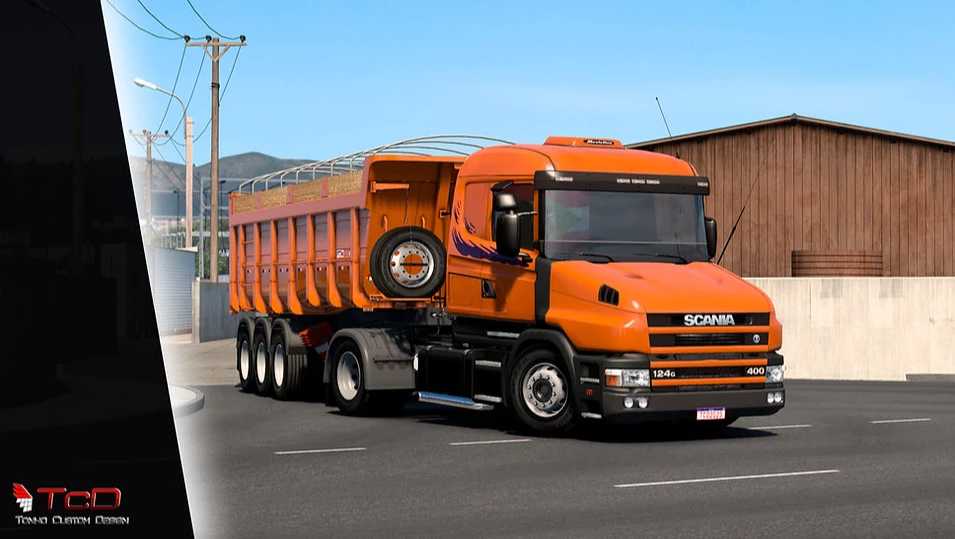

Addon RJL T4 TCD v1.0 ETS2
This mod adds modifications I made to the RJL T mod.
With a wide range of accessory variations, you can customize your truck from a 4×2 to a 6×4.
I let customers decide the height of the cambered options using the game’s controls,
and through the console, use the code g_suspension_auto_reset “0”.
I’ve added over 35 accessories, including bumpers with miles, exhaust tips, 3-way valves, illuminated and digital signs, a hydraulic tank, a radio, and several others.
I added 10 skins from series I made and 3 from companies donated by 2 friends to the mod.
Another exclusive feature is the opportunity to use the Mod Shop app. Download it at https://modshop.com.br/modshop-edit/.
With it, you can easily change the lettering on the sign, even if you don’t know how to edit data.
You can edit the lights and windshield signs within the game, choosing the letters and creating names.
I also have SkinEdit, so that, with a simple image editor and a specific program, you can create your own skins and play with them.
Credits: TONHO NUNES
How to install ETS2 mods or ATS Mods
In Euro Truck Simulator 2 it’s easy to install mods. You just need to download mod from here, copy/unzip files into: “My Documents\Euro Truck Simulator 2\mod” folder or if you play ATS please install mods to: “My Documents\American Truck Simulator\mod” folder. To unzip files you can use: WinRAR or 7zip. After that you need to activate the mods you want to use.