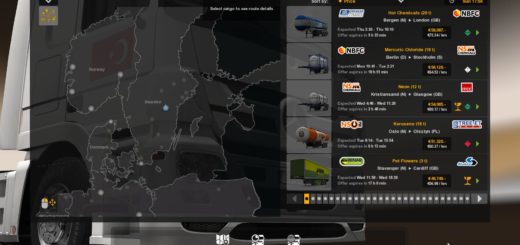
TJS HD GPS Mod v1.7 (1.62.x) ETS2


TJS HD GPS Mod v1.7 (1.62.x) ETS2
Enhances the ingame navigation experience by introducing new GPS models, improved visuals, and expanded functionality.
Designed to work seamlessly with the base game GPS, it also adapts to other GPS mods that modify the default appearance.
As a tuning parts mod, it should be placed above map mods in your load order for optimal performance.
Features:
Adds new GPS models for dashboard and windshield sets, including taller variants for better visibility
Offers a “squarish” GPS design for driver-side mounts in select updates
GPS units are independent from the truck’s built-in dashboard GPS, ensuring no interference
Displays detailed trip dаta:
Time until rest
Driving fuel efficiency (“Avg” metric)
ETA timer in HH:MM format
Game time (may not work with some modded trucks)
Cruise control speed limit when activated
Fixed issue with speed limit text being obscured by buttons
Updated in-game UI icons for a cleaner look
Added compass text for better navigation
Optional navigation color schemes: red/green or blue/white
Reduced GPS brightness for nighttime driving
Repositioned elements like the clock on tablet GPS for proper alignment
Supported Truck Brands (Windshield & Dashboard Accessories)
DAF XF / XF Euro 6
Iveco Hiway & Stralis
MAN TGX Euro 5 & TGX Euro 6
Mercedes Actros & Actros 2014 (Media Cabin only)
Renault Magnum
Scania 2016 R / S, R, Streamline, G400 by Quality3DMods
Volvo FH 16 – FH 16 2012, FH 1st Gen, FH 2020
Supported Modded Trucks
DAF XF, XF 50K
Iveco S
MAN TGA, TGS, TGS Euro 6
Mercedes Actros 12, Antos 12, Arocs WTD, Axor, SLS AMG
Renault Range T, C, K
Scania 4, G, G 2016, P 2016, R4, T, T4, 113
Sisu R 500
Ural 8×4
Freightliner Cascadia 2019
International 9900i, Lonestar, LT
Tested on game version 1.61.x, 1.62.x
Credits: The Jetz Stream
How to install ETS2 mods or ATS Mods
In Euro Truck Simulator 2 it’s easy to install mods. You just need to download mod from here, copy/unzip files into: “My Documents\Euro Truck Simulator 2\mod” folder or if you play ATS please install mods to: “My Documents\American Truck Simulator\mod” folder. To unzip files you can use: WinRAR or 7zip. After that you need to activate the mods you want to use.