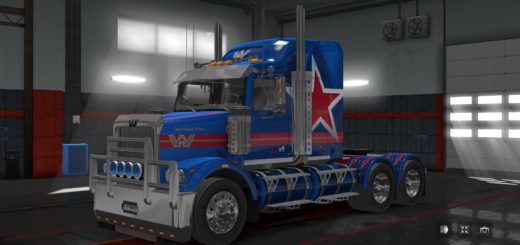
Volvo VNL 2025 860 Off-road Cab & Chassis v5.9.24 ETS2




Volvo VNL 2025 860 Off-road Cab & Chassis v5.9.24 ETS2
Custom Volvo VNL 860 Off-road sleeper cab
Raised wheel arches for large off-road tyres
Redesigned hood, bumper ends, steps, fuel tanks, and side skirts
Off-road chassis options: 8×6 and 10×8 (Long & Compact)
Additional road chassis options: 10×6 and 10×8 (Long & Compact)
Compatible with both Volvo VNL 840 and VNL 860 sleepers
Designed for off-road, heavy-haul and extreme transport operations
Three large off-road tyre sets
Clean and dirty tyre variants included
Two dedicated off-road wheel rim styles
Three bull bar options: Small Bull Bar, Black Bull Bar, Big Bull Bar
Custom VNL 870 tuned engine for heavy loads
Extremely high torque output for oversized cargo transport
Custom VNL 12 OD-R 12-speed gearbox
3-stage integrated retarder
Custom dashboard interiors
Off-road trim packages: Standard, Chrome, Ultimate Chrome, Onyx
Multiple rear fender options
Full Cover rear fenders
Aero Rounded rear fenders
Standard rear fenders
Chrome rear fenders
Aero rear bumpers
Aero II rear bumpers
FlowBelow rear bumpers
Tail-only bumper configuration
Changes in v5.9.24:
Added bull bar support for all eight new chassis configurations (road and off-road)
Added Small Bull Bar
Added Black Bull Bar
Added Big Bull Bar
Included refitted Volvo VNL 2018 bull bars from SCS Software
Off-road tyres and rims are now exclusive to the 860 Off-road cab
Built-in hubs and wheel nuts for off-road rims renamed and restricted to the 860 Off-road configuration
Added dedicated shop icons for the 8×6 Off-road and Compact 8×6 Off-road chassis
Redrawn all four off-road chassis icons
Properly renamed rear sections for road chassis configurations
Fixed
Fixed multiple live speed readouts on Custom Dash interiors
Corrected mudguard positioning on compact chassis variants
Fixed stock LED headlights appearing incorrectly on the 860 Off-road cab
Added proper shop icon for LED headlights
Requirements: Official Volvo VNL 2025 truck
Tested on version 1.61.x
Credits: sbg2005, Koral, SCS Software
How to install ETS2 mods or ATS Mods
In Euro Truck Simulator 2 it’s easy to install mods. You just need to download mod from here, copy/unzip files into: “My Documents\Euro Truck Simulator 2\mod” folder or if you play ATS please install mods to: “My Documents\American Truck Simulator\mod” folder. To unzip files you can use: WinRAR or 7zip. After that you need to activate the mods you want to use.