Volvo XC90 B6 AWD v1.1 ETS2
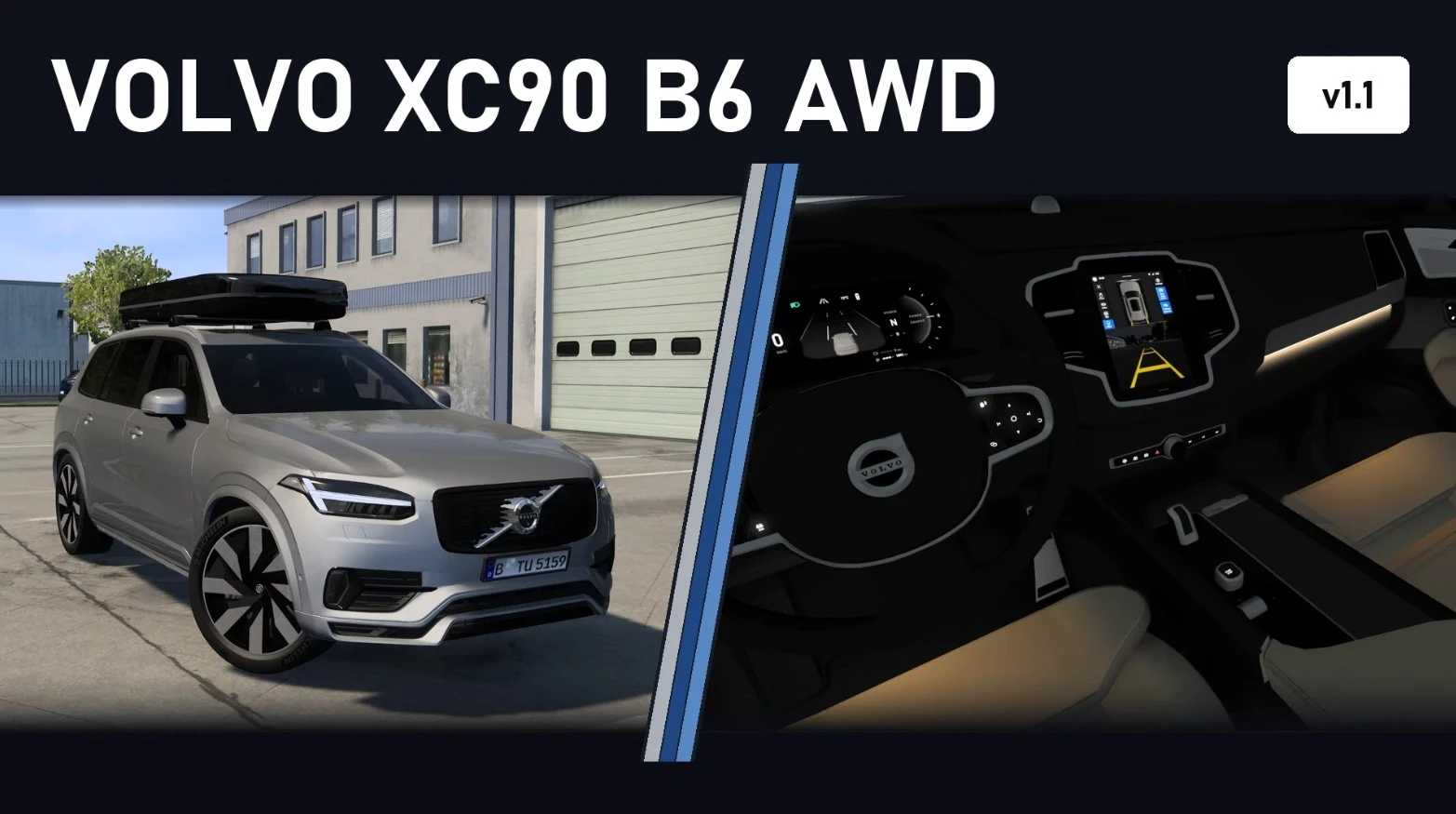



Volvo XC90 B6 AWD v1.1 ETS2
Changelog:
Better performance
New LED tail lights
New Headlights
Brake caliper colours in the chassis tab: Grey, Red, Gold, Black
Mirror caps in body colour or gloss black
Tailpipes in chrome or black chrome
New option: Roof Box
New option: Head-Up Display
New number plate holders front and rear
New: rear number plate lights
360° camera shows more of the surroundings
Engines and drivetrain
B6: 2.0 l four-cylinder turbo mild hybrid, 300 hp (220 kW), 420 Nm from 2,100 to 4,800 rpm
19 engines selectable, from the D4 (190 hp) to the T8 Recharge plug-in hybrid with 455 hp, including the Polestar versions
Geartronic 8-speed automatic, all-wheel drive
Everything is set per car no global physics.sii, other vehicles stay untouched
Sound
Four-cylinder sound with loops from a real XC90 recording
Volvo hybrid start-up and shut-down
Own Volvo horn, indicator and chime sounds
Exterior
Full LED headlights with daytime running lights that flash orange as indicators, LED tail lights, indicators in the mirrors
Blind spot warning in the side mirror (turn on the game’s blind spot option)
Animated front and rear wipers that clear the rain, rain on the panoramic roof, openable front windows, working mirrors
10 original Volvo colours plus custom solid and metallic colours
Configurator
Bright/Dark trim: grille (chrome, gloss black, black mesh), badges, window trim, roof rails and tailpipes
21″ 5-spoke or 8-spoke Black Diamond rims with Michelin Pilot Sport 4 SUV 275/40 R21
Optional tow bar (chassis “XC90 B6 AWD + Tow Bar”) to pull car trailers (BETA)
Interior
24 interiors: Charcoal, Blond, Amber or Maroon Brown leather x 6 ambient lighting options (Warm, White, Blue, Red, Violet, Off)
Ambient lighting in the doors, dashboard and footwell
Illuminated buttons and switches
12.3″ digital instrument cluster with several pages (map, trip computer, driver assistance)
Centre display with map, rear-view camera and 360° view when reversing
Animated steering wheel, indicator and wiper stalks
Where to find it
Truck Dealers > Access Mod Dealer > Deppelover Mods
Compatibility
ETS2 1.61x
Credits: carbon901 & Deppelover
How to install ETS2 mods or ATS Mods
In Euro Truck Simulator 2 it’s easy to install mods. You just need to download mod from here, copy/unzip files into: “My Documents\Euro Truck Simulator 2\mod” folder or if you play ATS please install mods to: “My Documents\American Truck Simulator\mod” folder. To unzip files you can use: WinRAR or 7zip. After that you need to activate the mods you want to use.