Glass Bounds Corrections & Fixes v1.5 (1.61.x) ETS2

Glass Bounds Corrections & Fixes v1.5 (1.61.x) ETS2
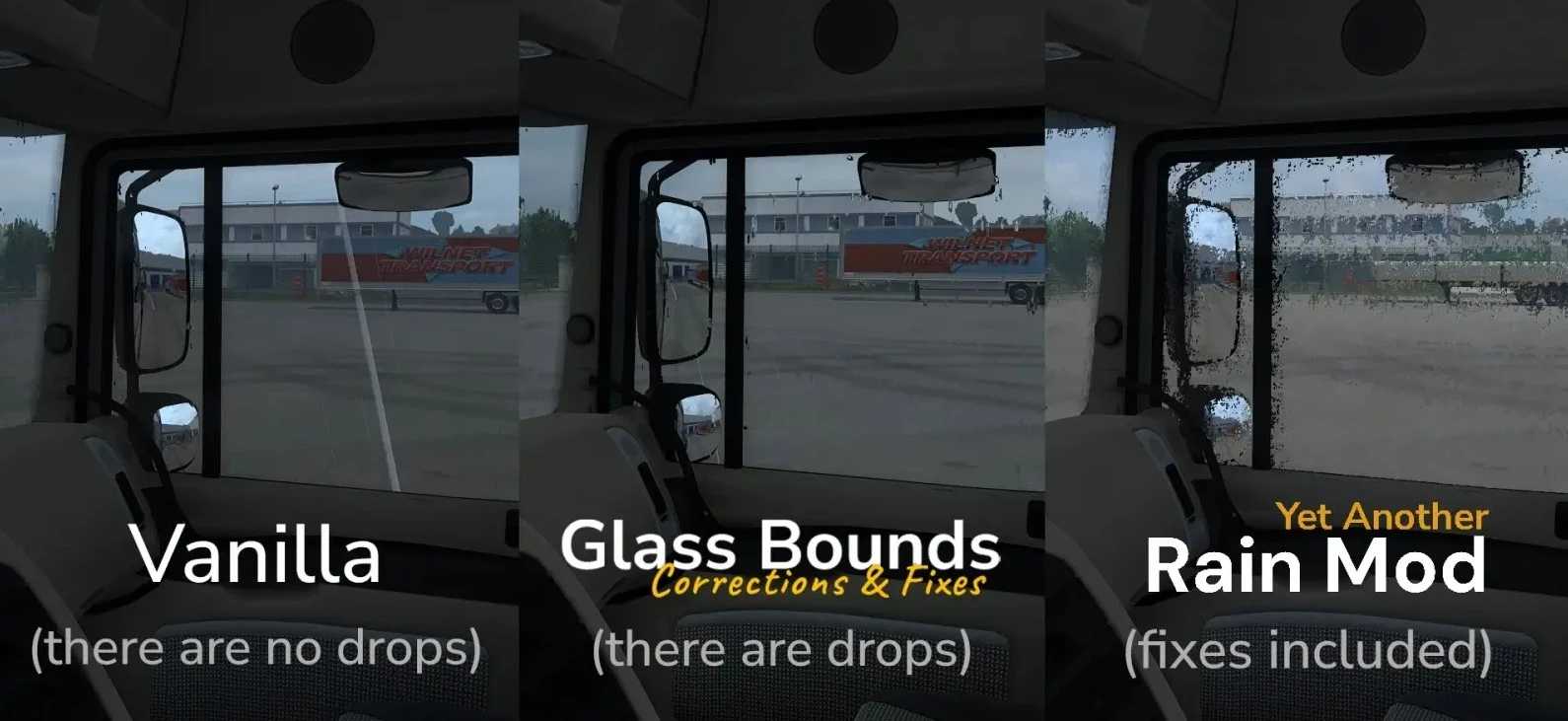
This modification fixes incorrect rain bounds on windows for all trucks, ensuring raindrops appear across the entire glass surface.
It corrects the win_mask_r and win_mask_l textures, adds new windshield mask textures and fixes missing raindrops on certain trucks.
This mod does not change the rain, drop textures, weather system, sounds or anything else.
If you are using Yet Another Rain Mod (YARM), you do not need this mod.
Features:
Fully redone by hand and drawn from scratch: all 89 win_mask_l.dds and win_mask_r.dds files manually redrawn using a graphics tablet
Entirely new mask textures drawn from scratch for most trucks (including 27 trucks that originally lacked them)
Every single glass config (55+) edited
Now all windows on every truck are fully covered with raindrops
Config overhaul for all vanilla trucks
Various bug fixes for certain trucks
Compatibility:
Compatible with all mods
Minor issues at glass edges possible when used with other rain mods (tested with most popular ones)
Works without issues on ETS2 1.58.x, 1.59.x, 1.60.x and 1.61.x
Theoretically works on 1.57.x (not tested)
Versions below 1.57.x not supported
Load Order:
Glass Bounds Corrections & Fixes
Rain/Snow
Graphics, weather, lighting
Tested on game version 1.61.x
Credits: Denis
How to install ETS2 mods or ATS Mods
In Euro Truck Simulator 2 it’s easy to install mods. You just need to download mod from here, copy/unzip files into: “My Documents\Euro Truck Simulator 2\mod” folder or if you play ATS please install mods to: “My Documents\American Truck Simulator\mod” folder. To unzip files you can use: WinRAR or 7zip. After that you need to activate the mods you want to use.