BMW M340i xDrive (G20) v1.3 ETS2


BMW M340i xDrive (G20) v1.3 ETS2
Engine & Sound
B58 3.0 l inline-6 turbo: 374 hp (275 kW), 500 Nm from 1,850 to 5,000 rpm
xDrive all-wheel drive
8-speed automatic
Realistic inline-6 sound with pops and bangs
(don’t like them? Set the exhaust volume in the game settings to 0%)
Exterior
Realistic headlights, LED tail lights
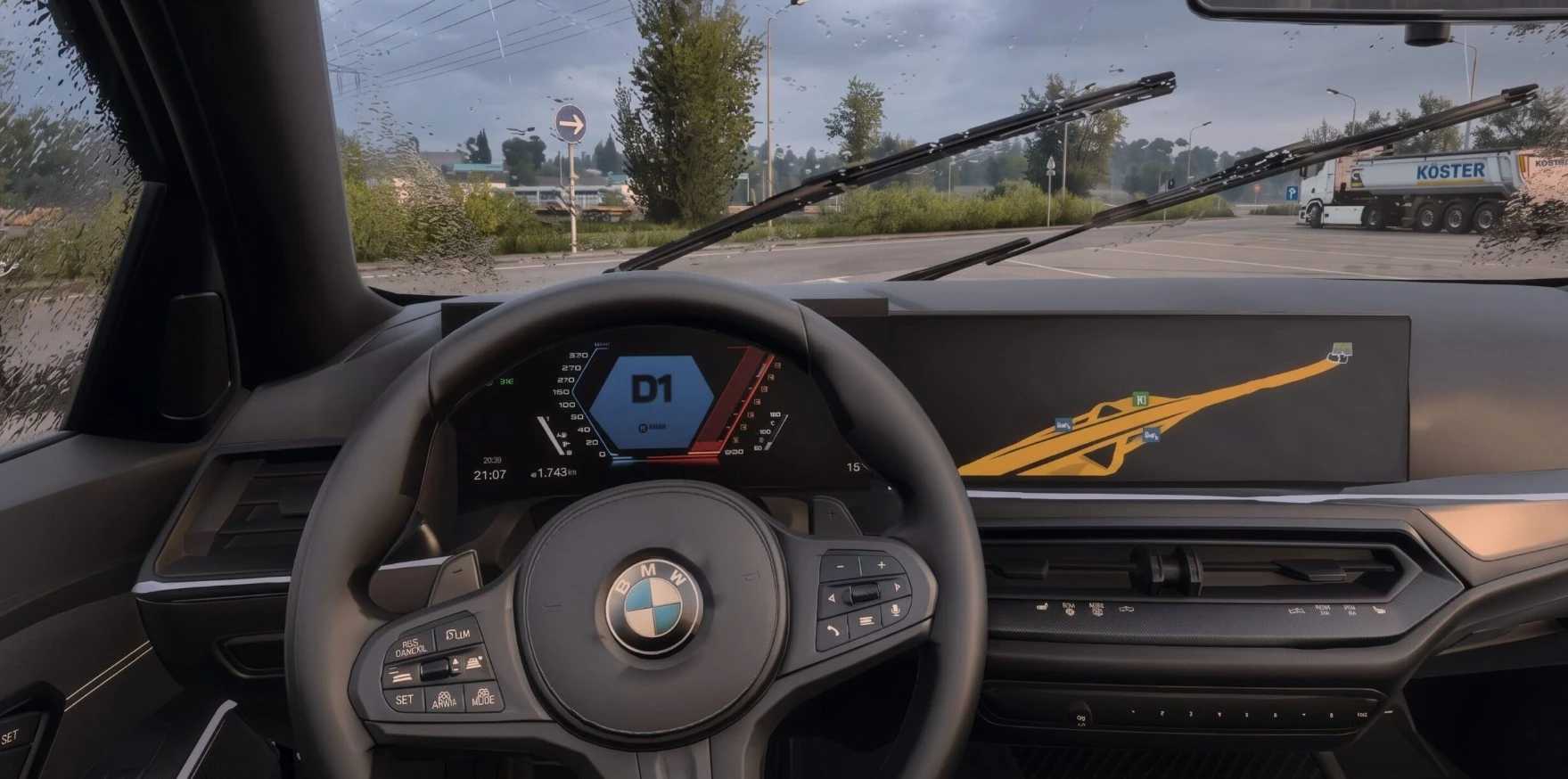
Animated wipers
Openable front windows
Working mirrors
13 original BMW colours plus custom solid and metallic colours
Interior
Cockpit with M Sport steering wheel
Ambient lighting in 6 variants: Orange, Blue, Red, Violet, White
Digital instrument cluster and navigation display
Wheels & Tyres
Michelin Pilot Sport 4S tyres (19″ and 20″)
JDM rims
Lowering -30 mm available
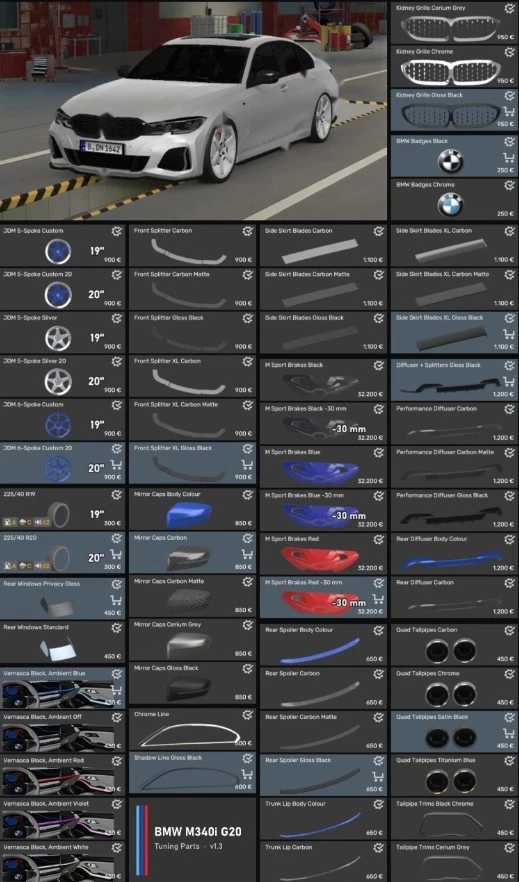
Configurator Parts
Kidney grille, exhaust tips, emblems
Front splitter, side skirts, rear diffuser, trunk lip
Mirror caps
Shadow line / chrome line window trims
Privacy glass
M Sport brake calipers in blue, red or black
Where to find it
Truck Dealers > Access Mod Dealer > BMW
Compatibility ETS2 1.61x
Credits: carbon901 & Deppelover
How to install ETS2 mods or ATS Mods
In Euro Truck Simulator 2 it’s easy to install mods. You just need to download mod from here, copy/unzip files into: “My Documents\Euro Truck Simulator 2\mod” folder or if you play ATS please install mods to: “My Documents\American Truck Simulator\mod” folder. To unzip files you can use: WinRAR or 7zip. After that you need to activate the mods you want to use.