Mercedes 1632NG by Digital X 1.61 ETS2
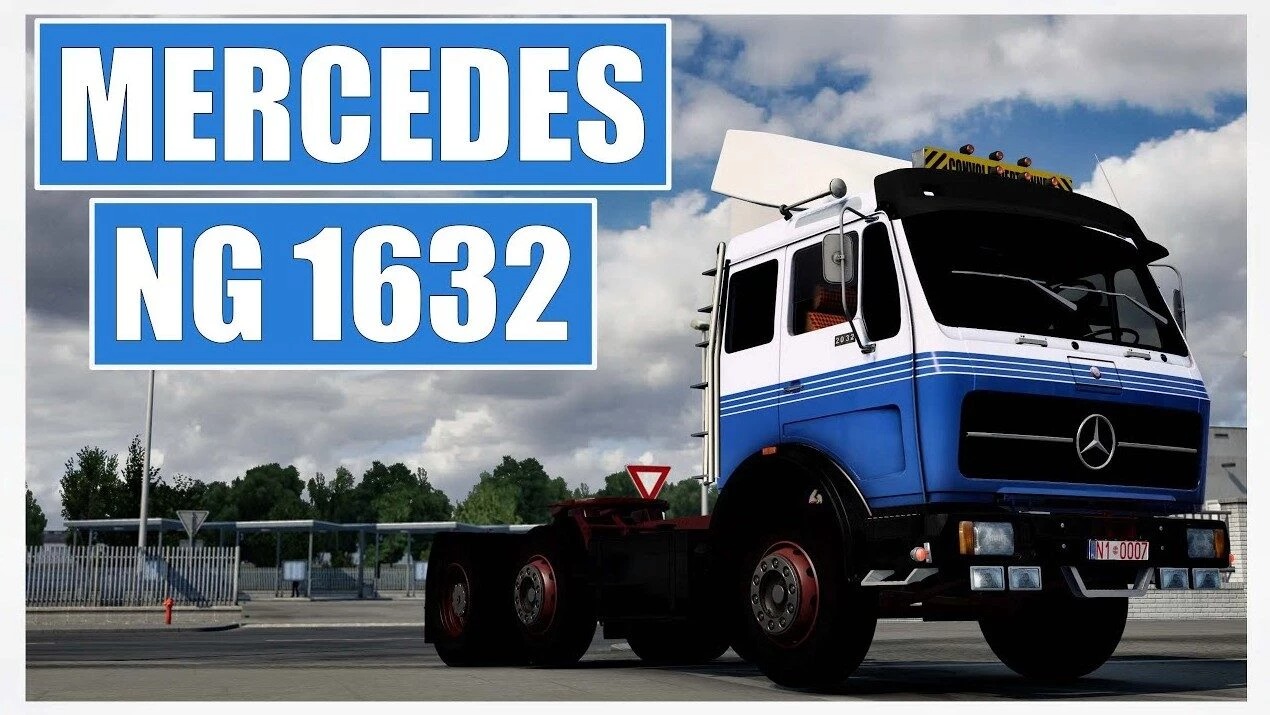

Mercedes 1632NG by Digital X 1.61 ETS2
Moved skinnable license plate to the front on all chassis.
Reworked the truckpaint shader for the cabs and bumpers.
Reworked the chrome bumpers to better reflect the look of chrome.
Added chrome Atrapa variant.
Added truckpaint and chrome variants to mirrors.
Added 7 different colour options to: Bumpers, Atrapa, Front & Rear Fenders.
Redone the texture on default fenders.
Redone the Oxblood texture on all chassis.
Closed gap in headlight housing.
2 new plates for the ADR Slot.
Added 8 new styles to the Lightbox.
Added new accessory slots: Front & Rear Fenders, Pillow, Fuel Tank, Exhausts, Sideskirts, Deckplates, Front & Rear Mudflaps and Atrapa Trim.
12 new Exhausts, all AO baked.
New V10 & V12 sounds by Mercedes 1632 & SlavJerry.
New skin (more to come in the next update)
Reworked the interior with new textures (the old style still remains)
Reworked the dashboard with a rough plastic texture.
New steering wheel with rough plastic texture.
Low deck variants for 4×2, 6×4, and 6x2_4 chassis.
UI icons for new accessories.
Corrected engine name from “Italien” to “Italian”.
Added Gearbox sticker to Dashboard.
Credits: Digital X
How to install ETS2 mods or ATS Mods
In Euro Truck Simulator 2 it’s easy to install mods. You just need to download mod from here, copy/unzip files into: “My Documents\Euro Truck Simulator 2\mod” folder or if you play ATS please install mods to: “My Documents\American Truck Simulator\mod” folder. To unzip files you can use: WinRAR or 7zip. After that you need to activate the mods you want to use.