BMW M3 CS (G80) 1.61x v1.0 ETS2
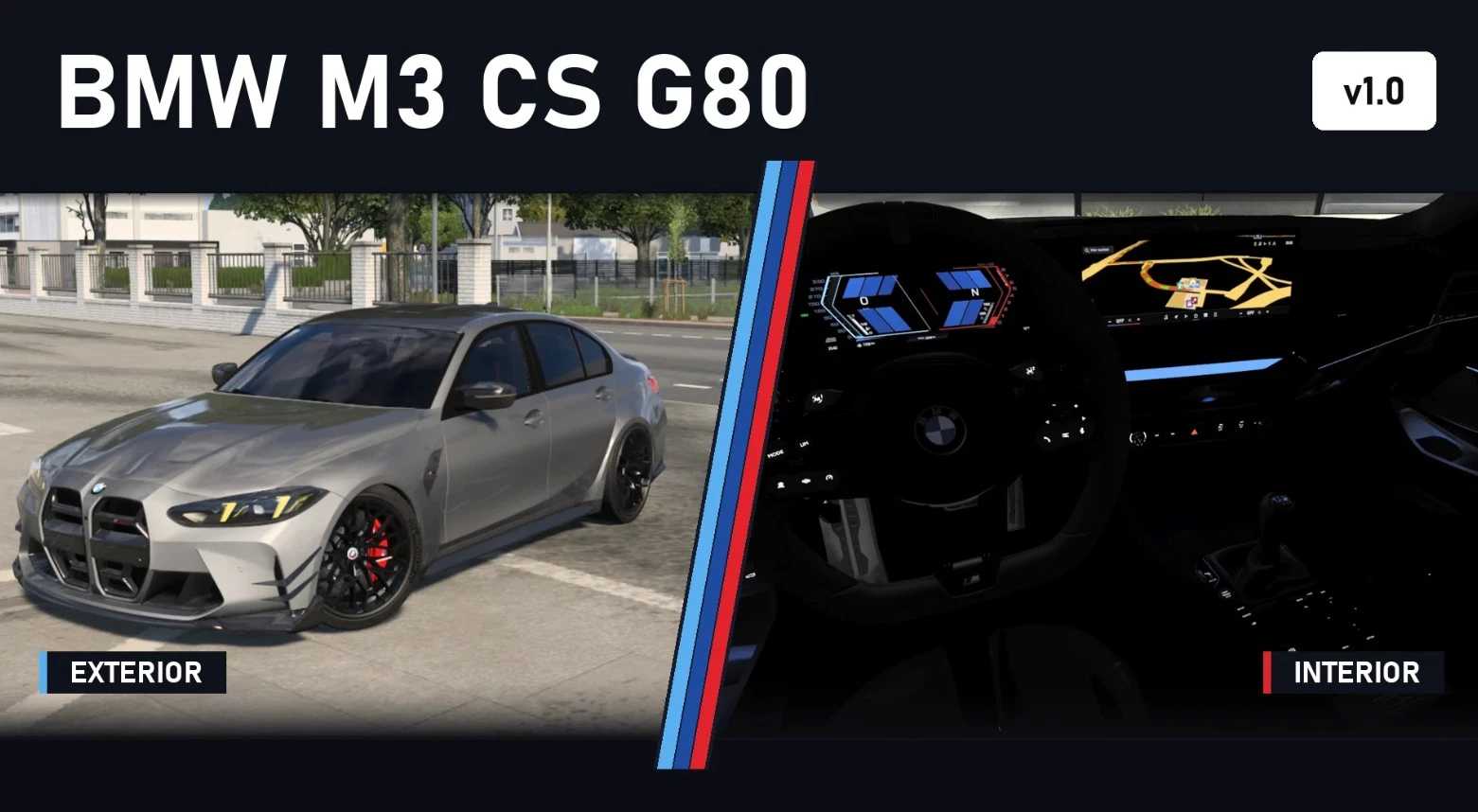

BMW M3 CS (G80) 1.61x v1.0 ETS2
Drivetrain
S58 3.0 l inline-six twin-turbo: 550 hp (405 kW), 650 Nm from 2,750 to 5,950 rpm
6-speed automatic
Rear-wheel drive
20″ front / 20″ rear M Y-spoke wheels with Michelin Pilot Sport Cup 2 tyres, 275/35 front and 285/30 rear
Sound
Straight-six sound with turbo whistle, blow-off, pops and gear-shift crackle
Three engine variants: normal pops, no pops, loud pops
Own indicator and wiper sounds
Driving
Tuned tyre grip, suspension and steering for a sports car feel
Exterior
LED headlights with yellow CS daytime running lights, LED tail lights
Animated wipers, openable front windows, working mirrors
12 original BMW colours plus custom solid and metallic colours
Configurator
Grille (black/carbon, red or black lines), hood stripes (carbon/body colour), front lip, canards, side gills, side skirts, mirror caps, rear spoiler and diffuser (black/carbon), privacy glass for the rear windows
Brake calipers in red, gold, blue or black
Optional −30 mm lowering
Interior
Merino black interior with carbon trim and M steering wheel
Ambient lighting in 5 variants: Blue, Red, Violet, White, Off
Illuminated CS logo, white button lighting
Live digital instrument cluster and navigation display
Indicator and wiper stalks
Where to find it
Truck Dealers > Access Mod Dealer > Deppelover Mods
Compatibility
ETS2 1.61x
Credits: carbon901 & Deppelover
How to install ETS2 mods or ATS Mods
In Euro Truck Simulator 2 it’s easy to install mods. You just need to download mod from here, copy/unzip files into: “My Documents\Euro Truck Simulator 2\mod” folder or if you play ATS please install mods to: “My Documents\American Truck Simulator\mod” folder. To unzip files you can use: WinRAR or 7zip. After that you need to activate the mods you want to use.